All your important files, in one tidy place on your Mac.
Warranties, tax forms, recipes, scans, and slides: MacTodo keeps its own copy of the documents you care about, so they stay organized and easy to find, wherever the originals ended up.
Version 1.0.0macOS 14 Sonoma or laterApple silicon & IntelHow to install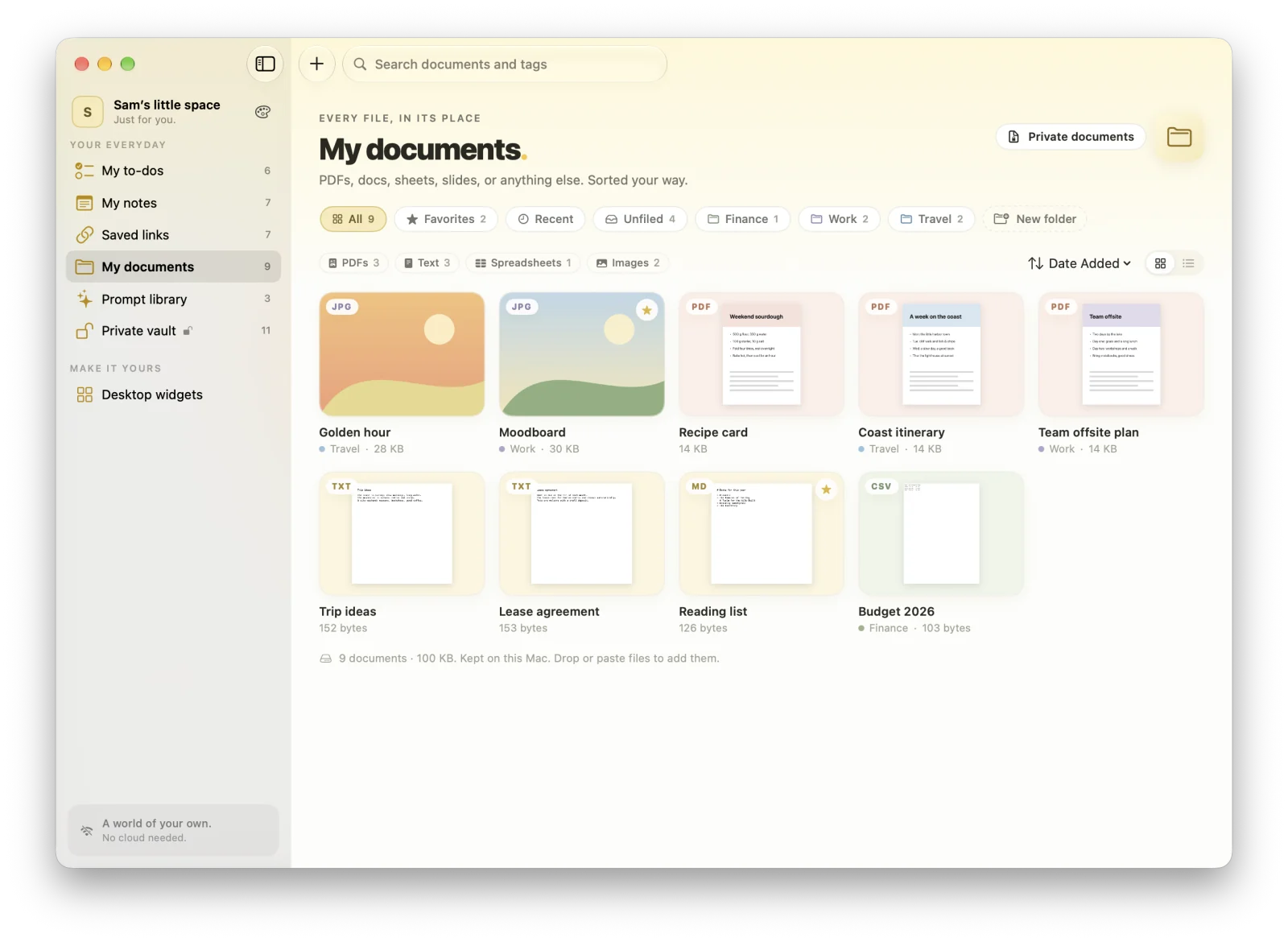
Highlights
- Colored folders, tags, favorites, and a Recent view
- Quick Look previews with Space, in a grid or a list
- Open, Show in Finder, Share, or drag files back out
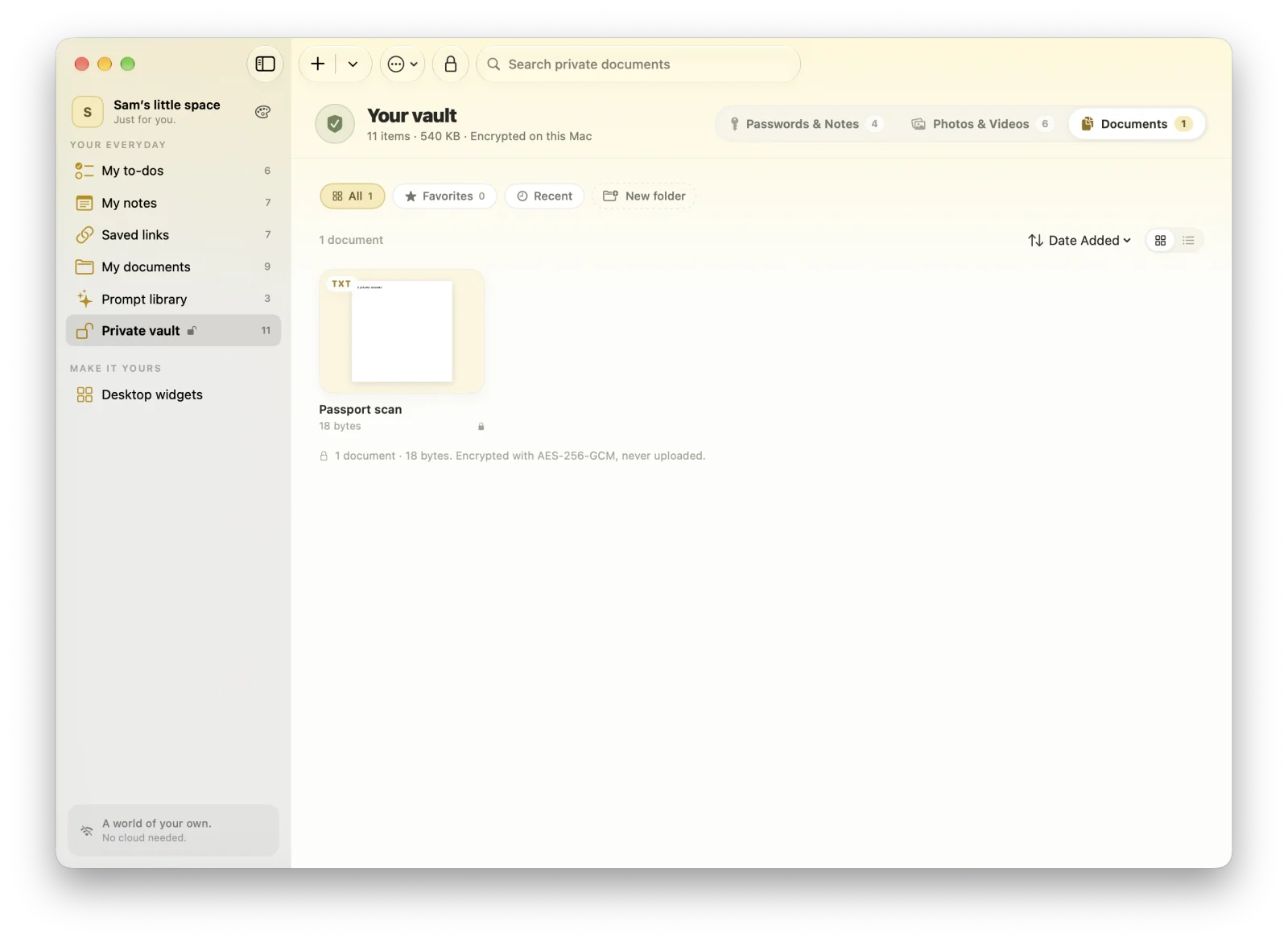
- Move any document into your private vault, encrypted
Add any kind of file
PDFs, Word and Pages documents, spreadsheets, slides, images, video, audio, archives, and code. Click +, press ⇧⌘O, drag files in, or paste them with ⌘V.
Folders, tags, and favorites
Organize with colored folders and tags, mark favorites, and see what you opened recently. Filter by kind, sort by name, size, kind, or date, and switch between a grid and a list.
Preview without opening
Press Space for a Quick Look preview. Open a file in its default app, show it in Finder, share it, save a copy, or drag it back out whenever you need it.
Lock away private documents
Move any document into the private vault and it’s encrypted with AES-256-GCM on your Mac. Move it back out whenever you like.
Does MacTodo move my original files?
No. MacTodo keeps its own copy of each document you add, so your originals stay exactly where they are.
Can I encrypt a document on my Mac with MacTodo?
Yes. Choose Move to Private Vault and the document is encrypted into the vault. It can only be opened after you unlock the vault with your password or Touch ID.
A little more organized.
A whole lot more at home.
Make room for your ideas, your plans, and your next little win.
Download for MacVersion 1.0.0macOS 14 Sonoma or laterApple silicon & IntelHow to install