Save links on your Mac and find them again in seconds.
Browser bookmarks get messy fast. MacTodo gives your favorite articles, tools, and references their own tidy space, organized with tags and kept entirely on your Mac.
Version 1.0.0macOS 14 Sonoma or laterApple silicon & IntelHow to install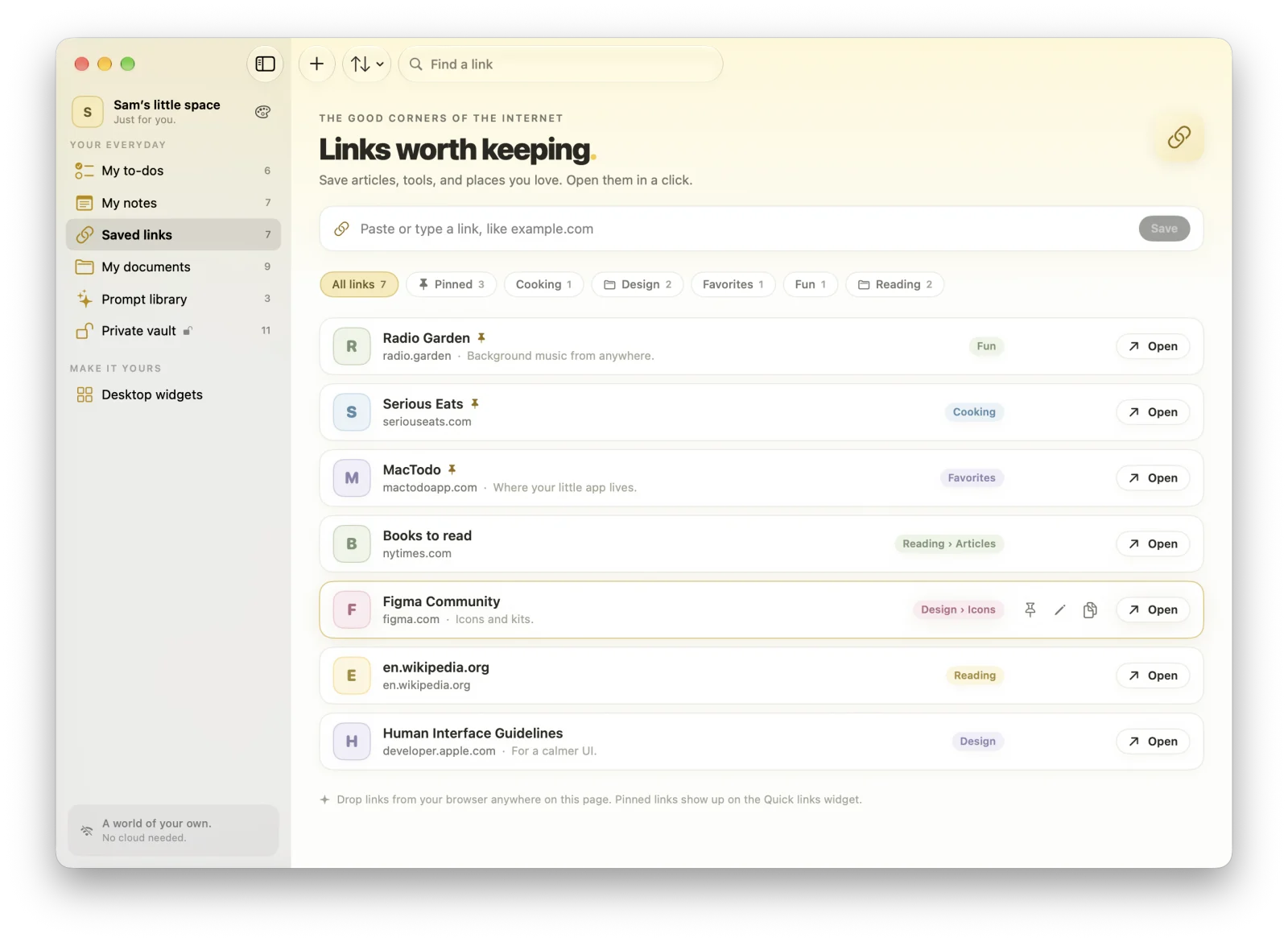
Highlights
- Sub-tags like Design/Icons, with a chip for every level
- Sort by newest, most opened, or recently opened
- Copy as Markdown, or turn a link into a to-do
- Never goes online to fetch anything, so each link gets a colorful letter tile
Save a link in one click
Paste or type a link (even just “example.com”), save the one already on your clipboard with a click, or drag a link in from your browser. Add a title, tags, and a note.
Tags inside tags
Write a tag as a path, like Design/Icons or Reading/Articles/Long reads. Choosing a parent tag shows everything beneath it, with a row of chips for each level. Rename a tag and its sub-tags move with it.
Sort, pin, and reuse
Pin the links you use most, and sort by newest, most opened, recently opened, or title. Copy any link as Markdown, or turn it into a to-do when it’s something to read later.
Private by design
MacTodo never goes online to fetch page titles or icons, so nothing about your reading list leaves your Mac. Each link gets a colorful letter tile instead. Pinned links also appear in the Quick links desktop widget.
Can I save a link from my browser to MacTodo?
Yes. Drag a link from your browser into MacTodo, or copy it and save the link on your clipboard with one click.
Why doesn’t MacTodo show website icons?
Fetching icons would mean contacting websites. MacTodo never goes online, so it gives each link a colorful letter tile instead.
A little more organized.
A whole lot more at home.
Make room for your ideas, your plans, and your next little win.
Download for MacVersion 1.0.0macOS 14 Sonoma or laterApple silicon & IntelHow to install