A to-do list app for Mac that understands how you talk.
MacTodo turns a quick line of text into a proper to-do. Type “Pay rent monthly !! #Work” and it sets the repeat, the priority, and the category for you, then reminds you on time with a native macOS notification.
Version 1.0.0macOS 14 Sonoma or laterApple silicon & IntelHow to install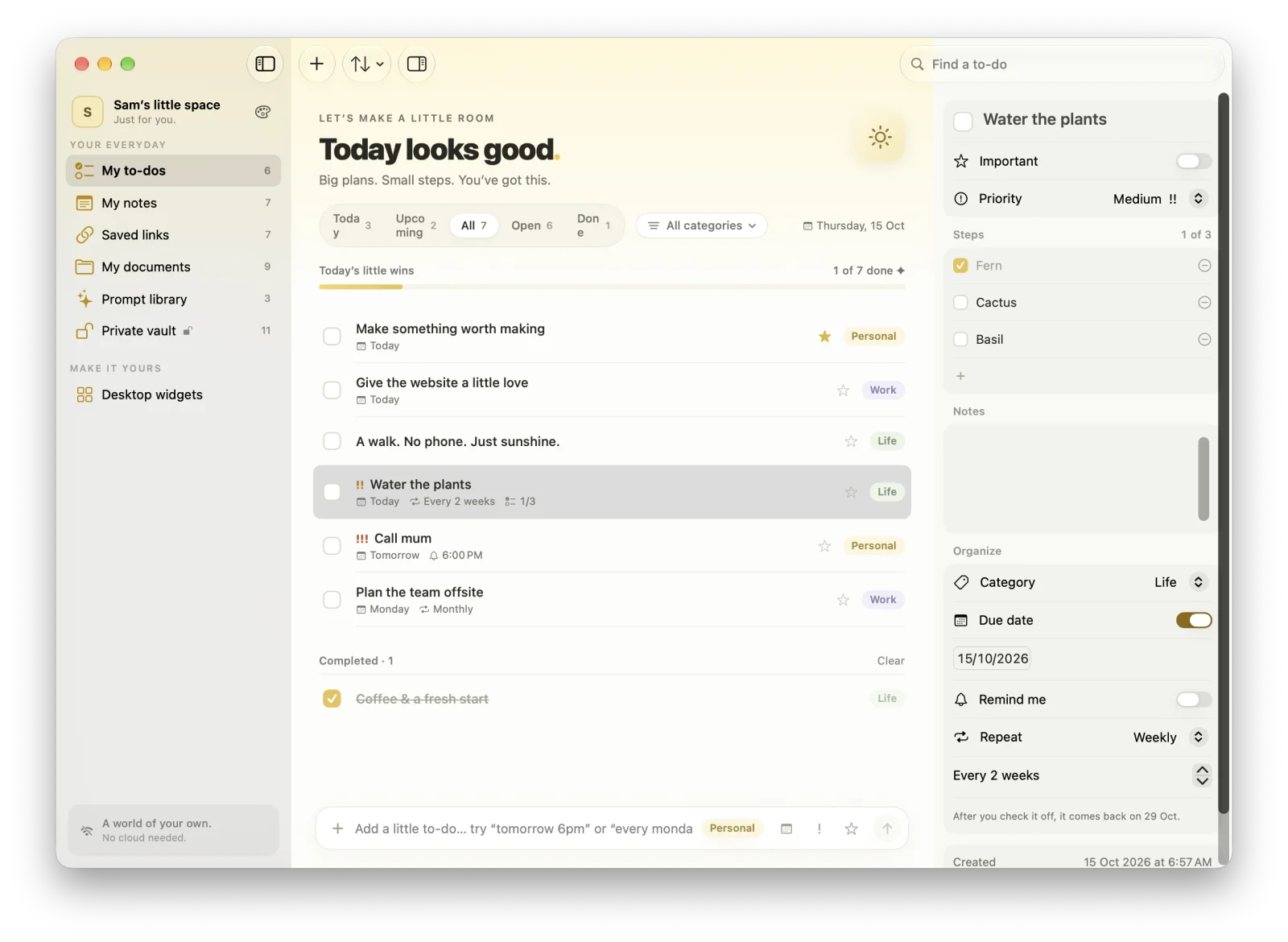
Highlights
- Repeats: daily, weekdays, weekly, monthly, or every few weeks
- Steps inside a to-do, and priorities from ! to !!!
- Today, Upcoming, All, Open, and Done, with today’s little wins
- Reminders you can mark done or snooze right from the notification
- Undo everything, and get deleted to-dos back for 30 days
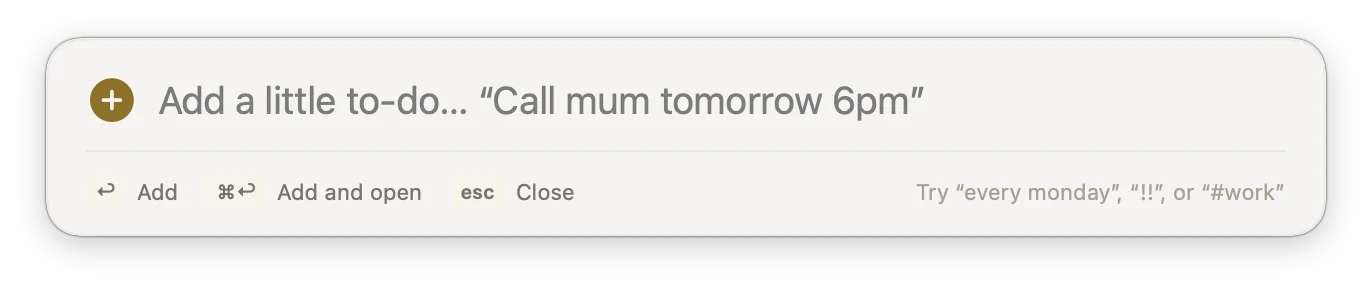
Add to-dos in plain English
The add bar reads dates, times, repeats, priorities, and categories as you type: “tomorrow 6pm”, “every monday”, “!!” for priority, “#Work” for a category. What MacTodo understood shows up as small chips, and you can dismiss any of them. Typed dates are understood in English.
Repeating to-dos, steps, and priorities
Set a to-do to repeat daily, on weekdays, weekly, monthly, yearly, or every few days or weeks. Check one off and the next one is scheduled for you. Break bigger jobs into steps, mark priorities from ! to !!!, and open the inspector for notes and reminders.
Today, Upcoming, and everything else
Today shows what’s due now, Upcoming shows what’s next, and All, Open, and Done cover the rest, each with a count. Filter by category, search with ⌘F, sort by due date, priority, or title, and drag to reorder. “Today’s little wins” tracks your progress and resets every day.
Reminders you can act on
MacTodo uses local macOS notifications, so reminders arrive even when the window is closed. Mark a to-do as done, or have it remind you again in an hour, right from the notification.
Add a to-do from any app
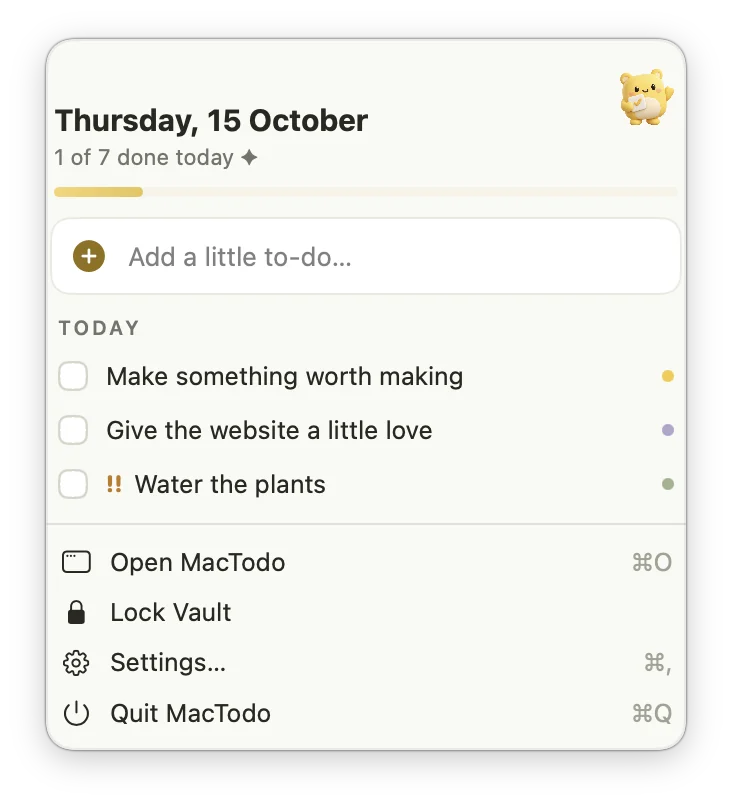
Press ⌃⌥Space (you can change it) for a Spotlight-style quick-add panel over whatever you’re doing, or open the menu bar window to see today’s to-dos at a glance. Shortcuts and Siri can add, complete, and list to-dos, too.
Mistakes are fine
Undo and redo every edit, delete, and reorder with ⌘Z. Deleted to-dos wait in Recently Deleted for 30 days before they go.
Does MacTodo understand natural-language dates?
Yes. Type phrases like “tomorrow 6pm”, “every monday”, or “monthly” in the add bar and MacTodo sets the due date, reminder, and repeat. Typed dates are understood in English, even when the app is in another language.
Can I check off to-dos without opening the app?
Yes. The My little to-dos desktop widget lets you check off to-dos right on your desktop, the menu bar window lists today’s to-dos, and notifications have a Mark as Done button.
Does MacTodo sync to-dos to my iPhone?
No. MacTodo is a Mac-only app that keeps everything on your Mac, with no account and no cloud. You can back up your to-dos to a JSON file and restore them on another Mac.
A little more organized.
A whole lot more at home.
Make room for your ideas, your plans, and your next little win.
Download for MacVersion 1.0.0macOS 14 Sonoma or laterApple silicon & IntelHow to install