A little less scattered. The to-do app for your Mac.
MacTodo is a free to-do list app for macOS that also keeps your notes, links, documents, AI prompts, and a private vault. Desktop widgets, a menu bar list, no account, and your things never leave your Mac.
Version 1.1.5·macOS 14 Sonoma or later·Apple silicon & Intel·How to install
Works offlineTo-dos free foreverMade for macOS
A little buddy for your busy brain.
Your Mac. Your little world.No account. No cloud. No tracking.
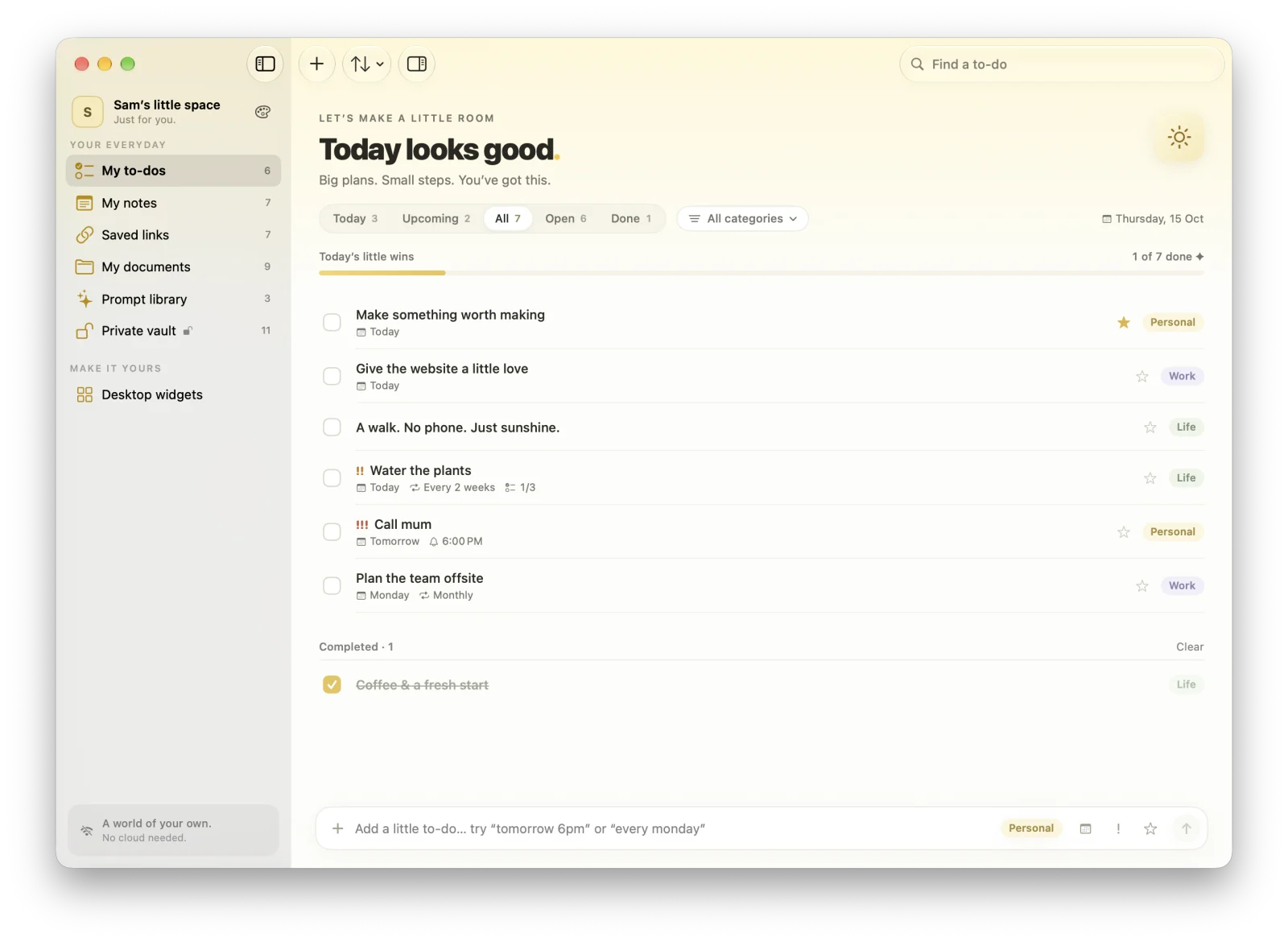
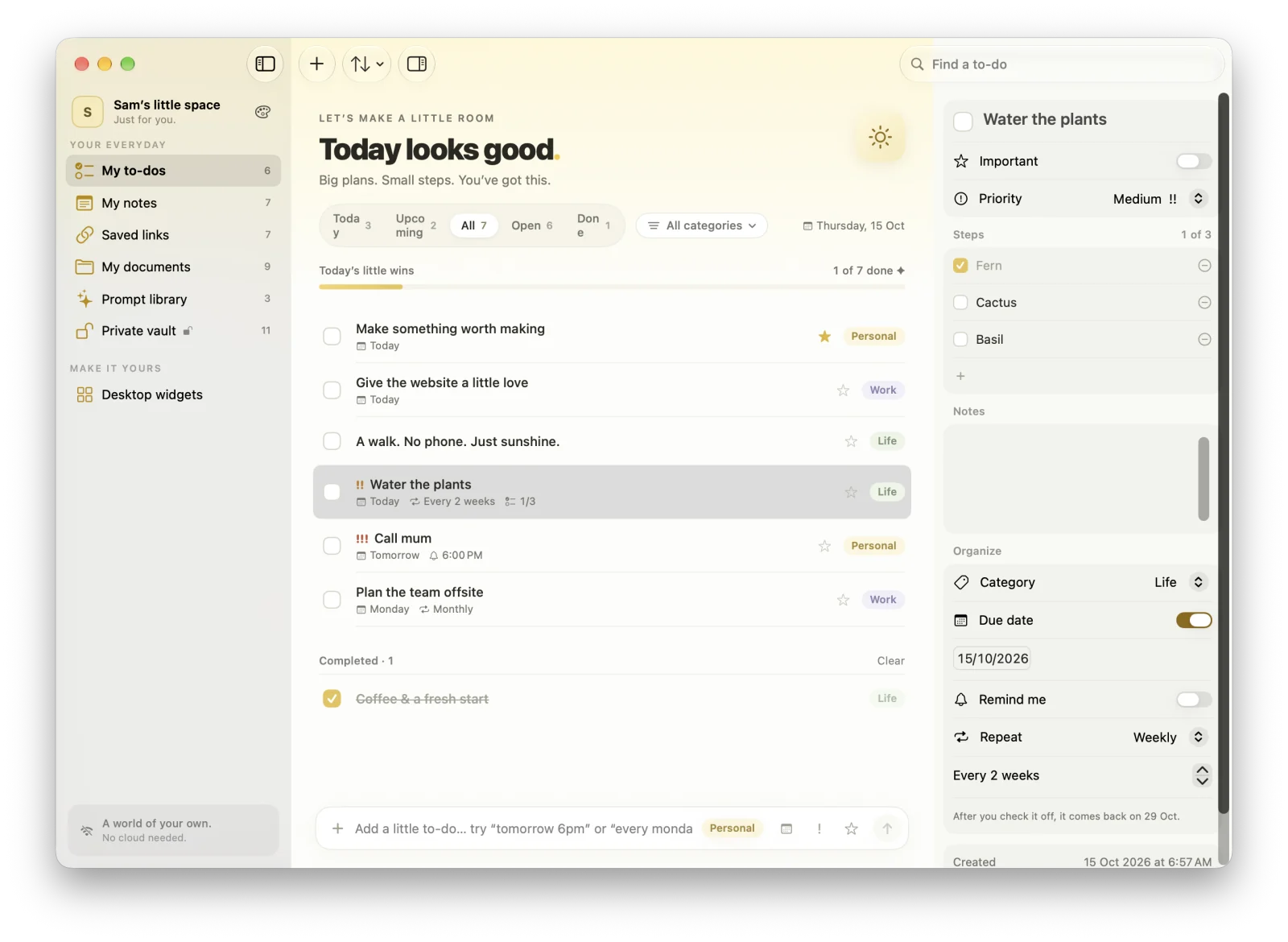
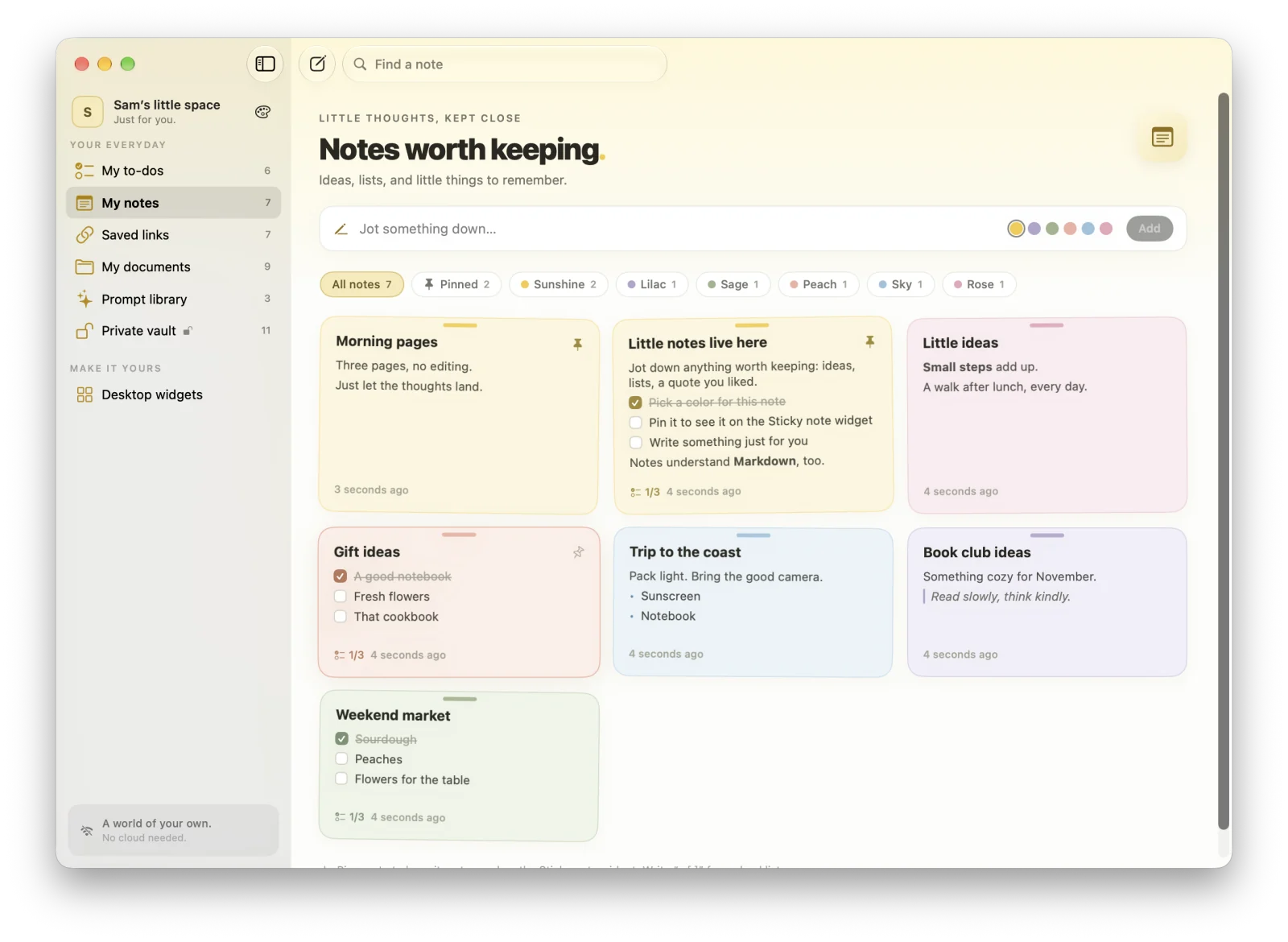
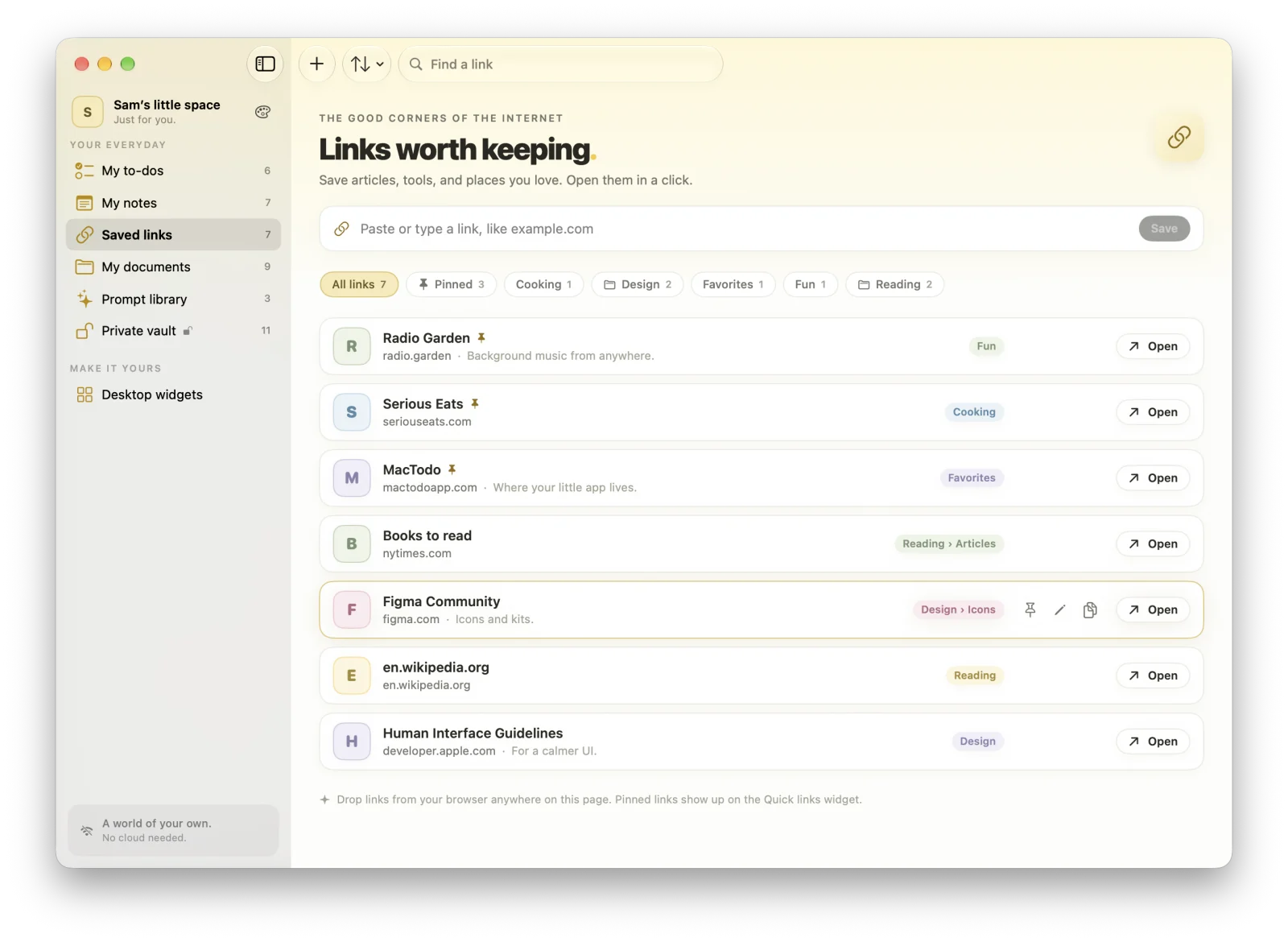
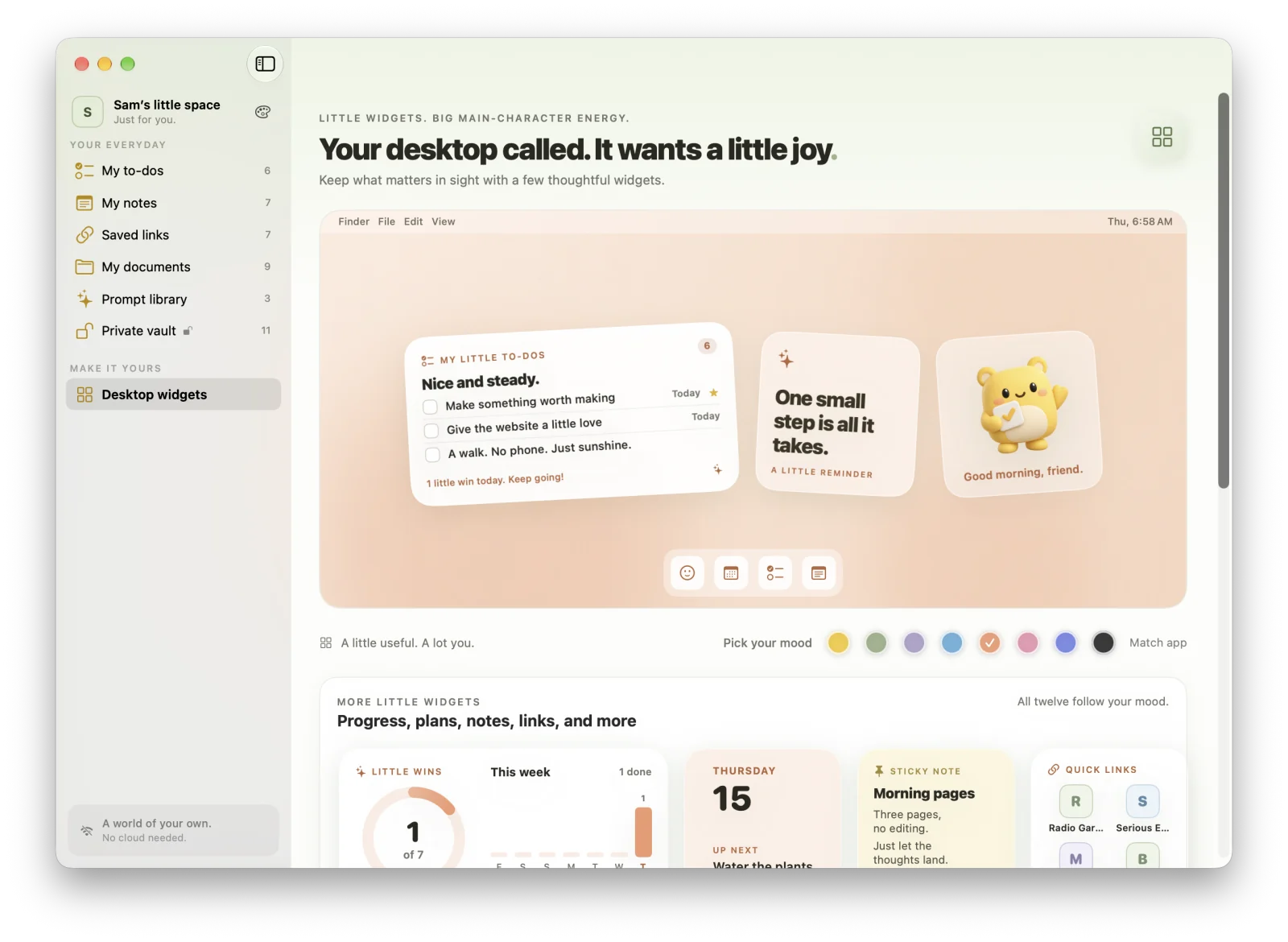
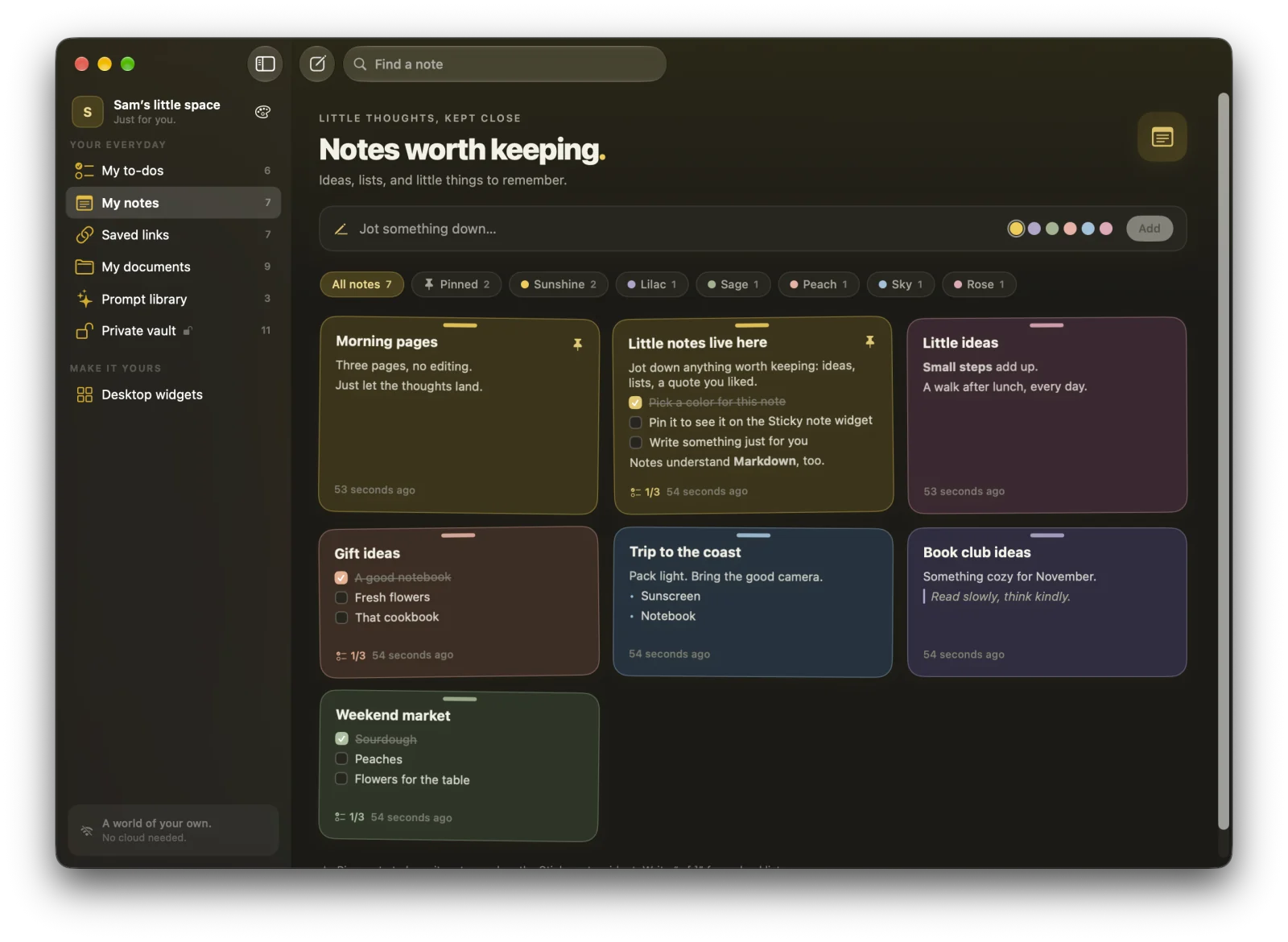
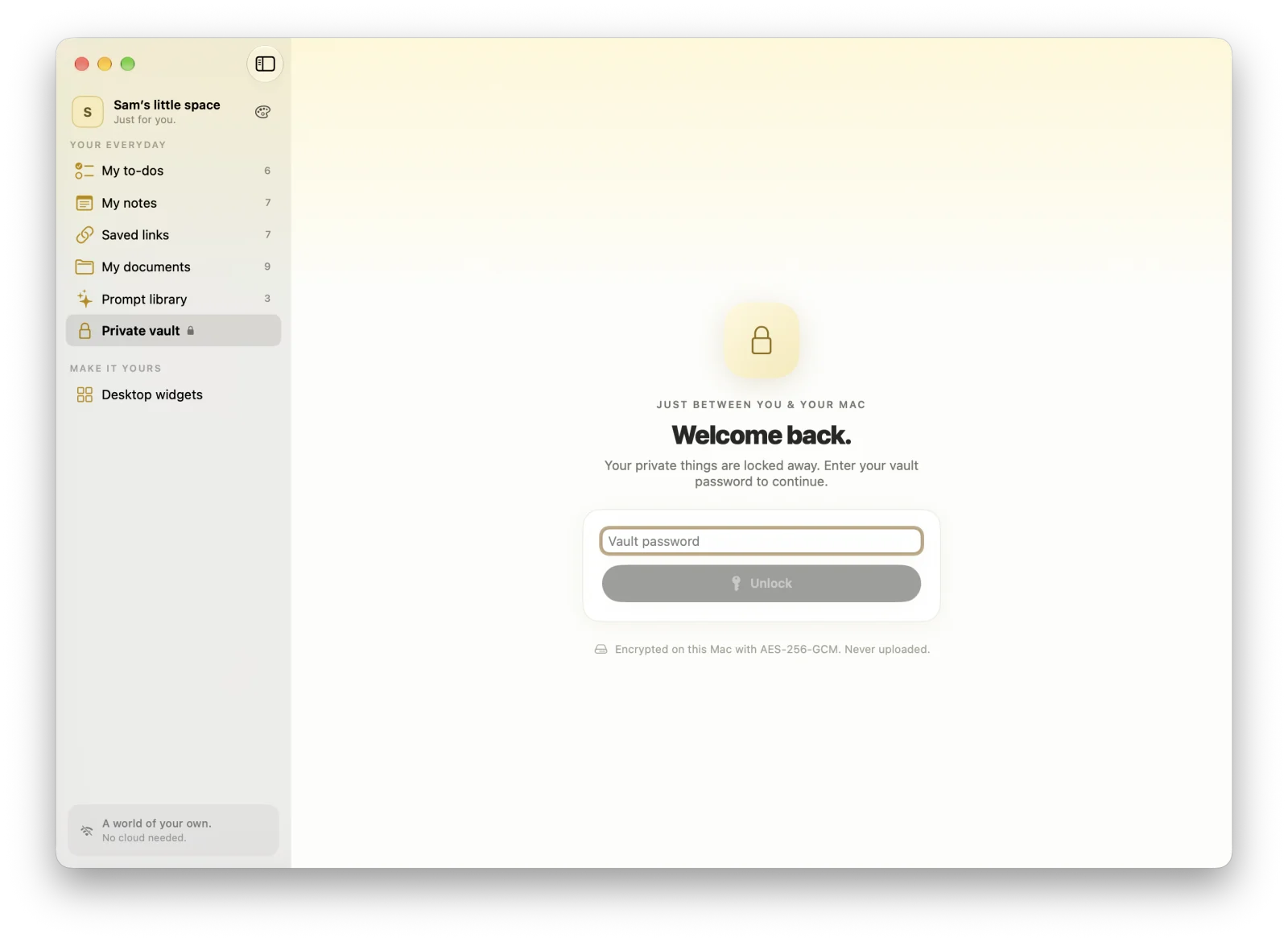
Real screenshots of MacTodo 1.1.5, filled with sample data.
MORE MAC APPS FROM US
Three more little helpers from the same maker.
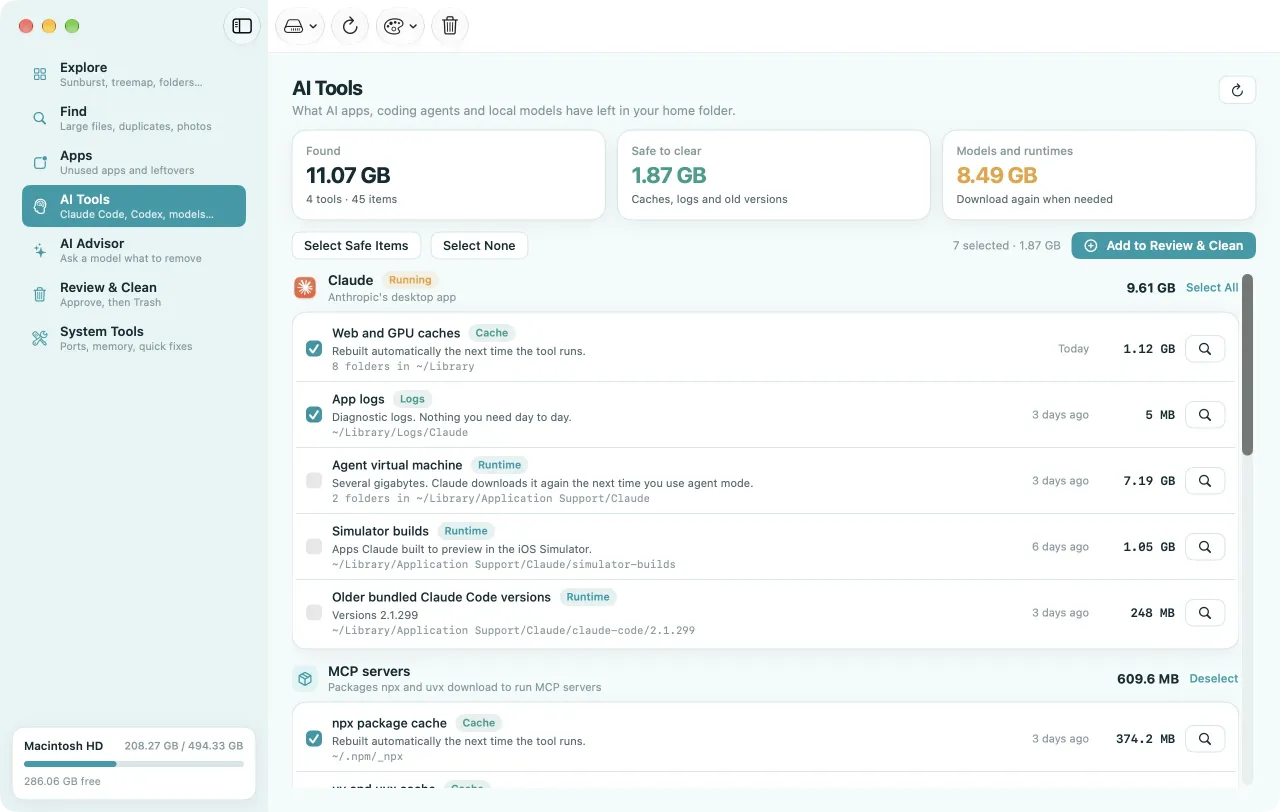
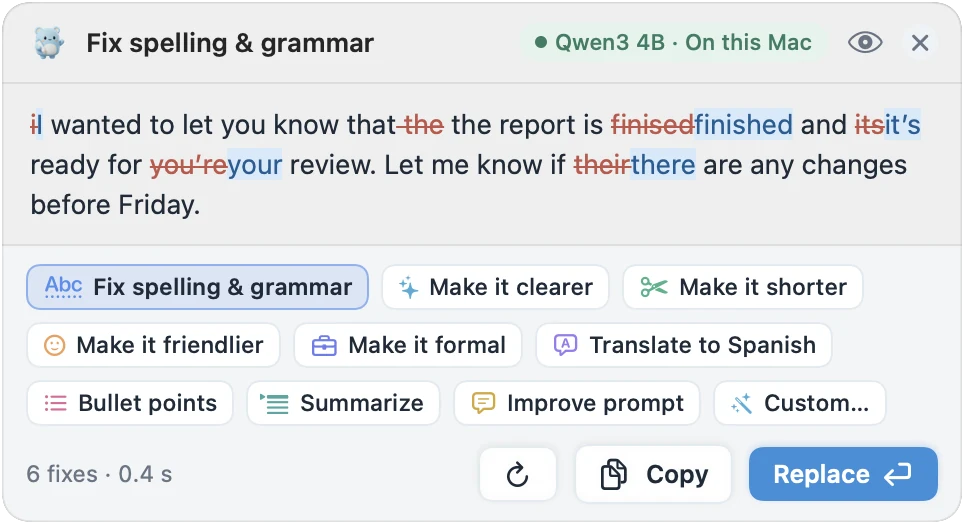
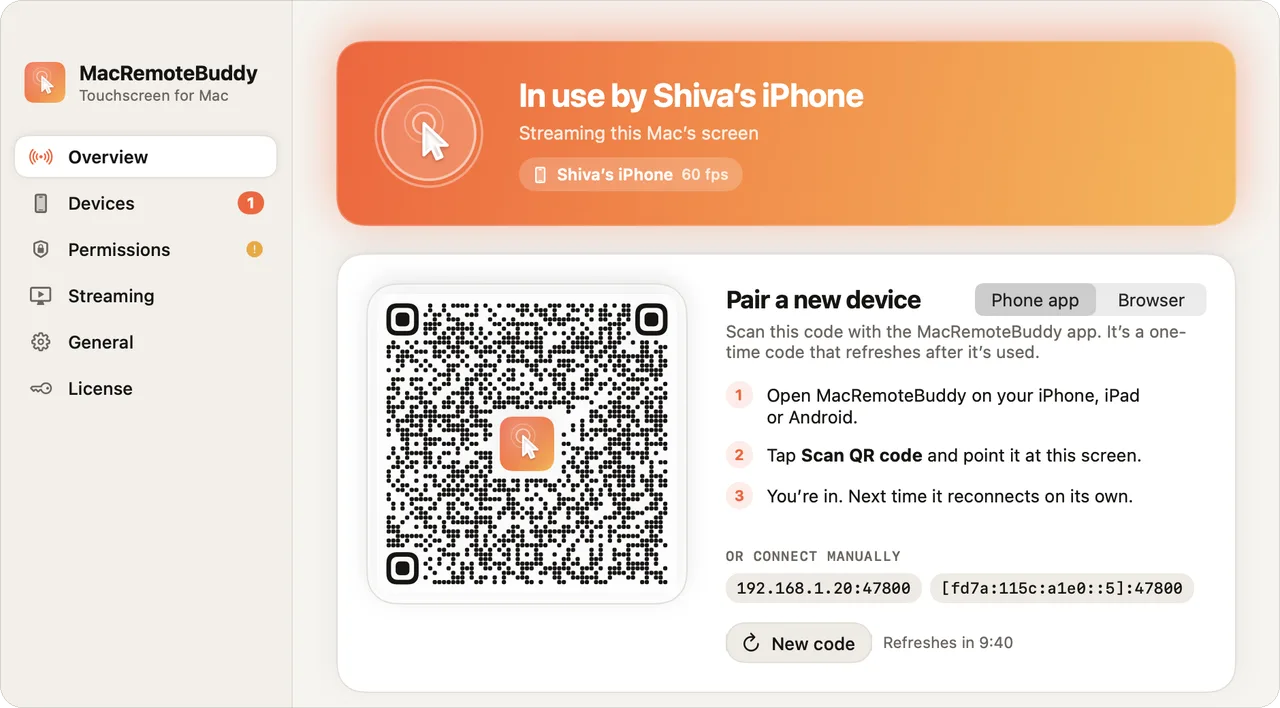
We also make Disk Clean AI, MacWriteBuddy, and MacRemoteBuddy. Like MacTodo, each one is a native Mac app that needs no account and is paid for once, never by subscription.
See what’s filling your disk, from big files and duplicates to apps you never open, plus the caches, logs, and models AI tools like Claude Code, Cursor, and Ollama leave behind.
See your disk as a sunburst, a treemap, and more
Finds large files, duplicates, and old app leftovers
Nothing is deleted without your OK, and it goes to the Trash
Select text anywhere and press ⌃⌥G: spelling and grammar are fixed right where you typed. Use a model that runs on your Mac, or bring your own AI provider.
Works in Mail, Slack, Notes, browsers, and editors
Make it clearer, shorter, friendlier, or translate it
Control your Mac from an iPhone, iPad, Android phone or any browser, right over your own Wi‑Fi. Tap, scroll and type, use your phone as a trackpad, and hear the Mac’s sound.
Touch and trackpad modes, a full keyboard and Mac shortcuts
Use a phone, tablet or browser as a second display
End-to-end encrypted, straight over your Wi‑Fi, no account
One small team, four Mac apps, zero subscriptions.
A HOME FOR YOUR EVERYDAY
Everything on your mind. One happy little place.
Less app-hopping, more living. Here’s what’s inside, straight from the app itself.
MY TO-DOS
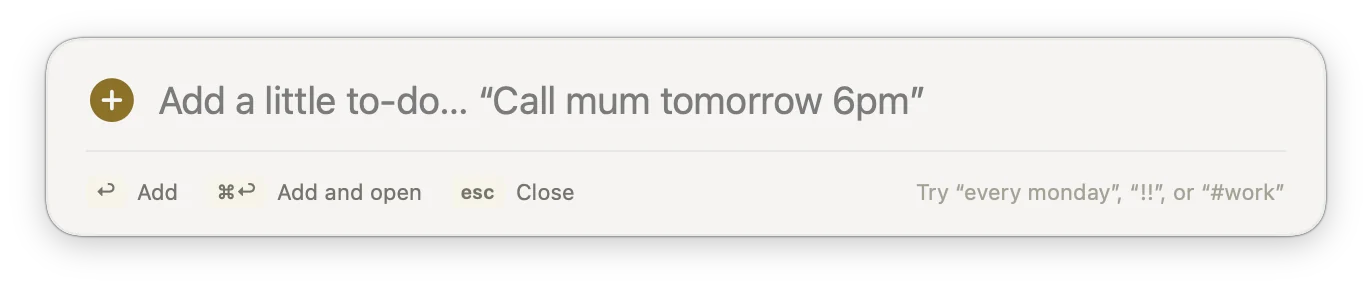
Type it the way you’d say it.
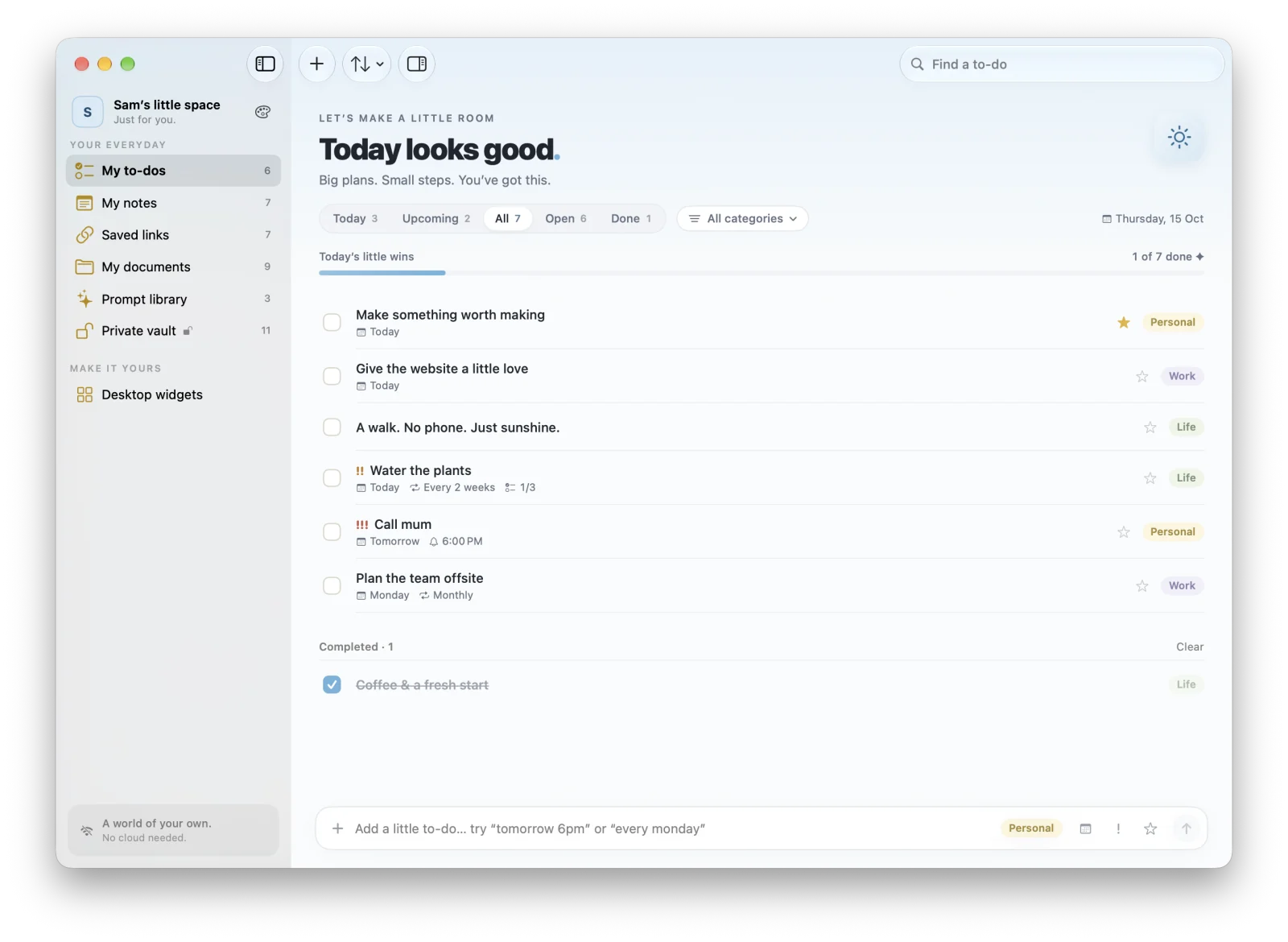
Write “Call mum tomorrow 6pm” or “Pay rent monthly !! #Work”. MacTodo sets the reminder, the repeat, the priority, and the category, and shows what it understood as little chips.
Repeats: daily, weekdays, weekly, monthly, or every few weeks
Steps inside a to-do, and priorities from ! to !!!
Today, Upcoming, All, Open, and Done, with today’s little wins
Reminders you can mark done or snooze right from the notification
Undo everything, and get deleted to-dos back for 30 days
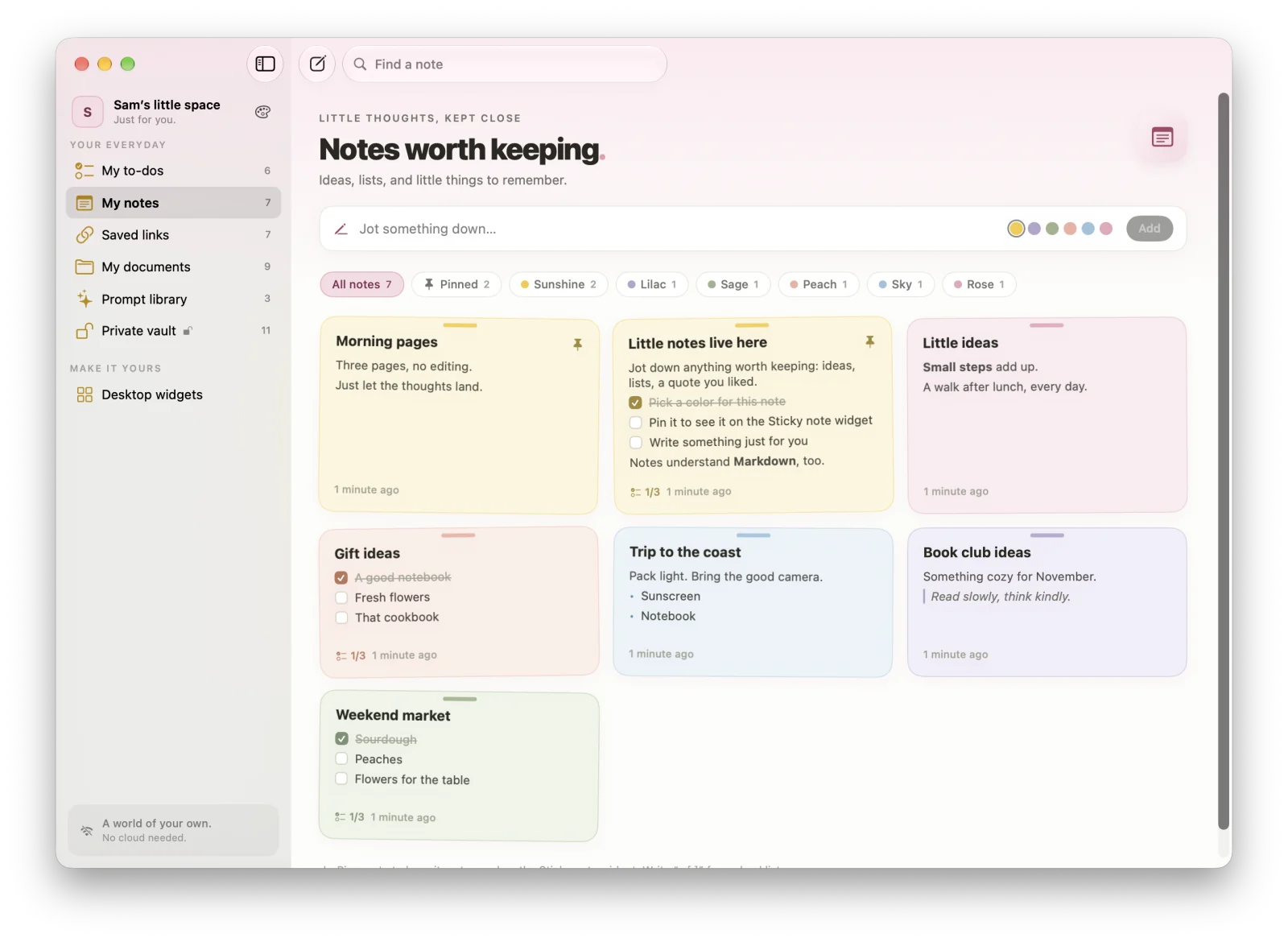
Jot a quick note from the top bar or open the full editor. Six soft colors, pinning, and Markdown keep them tidy, and checklists tick right on the card.
Six colors, pins, color filters, and search
“- [ ]” lines turn into checklists you can tick on the card
Markdown with a live preview in the editor
Pin a note to see it on your desktop with the Sticky note widget
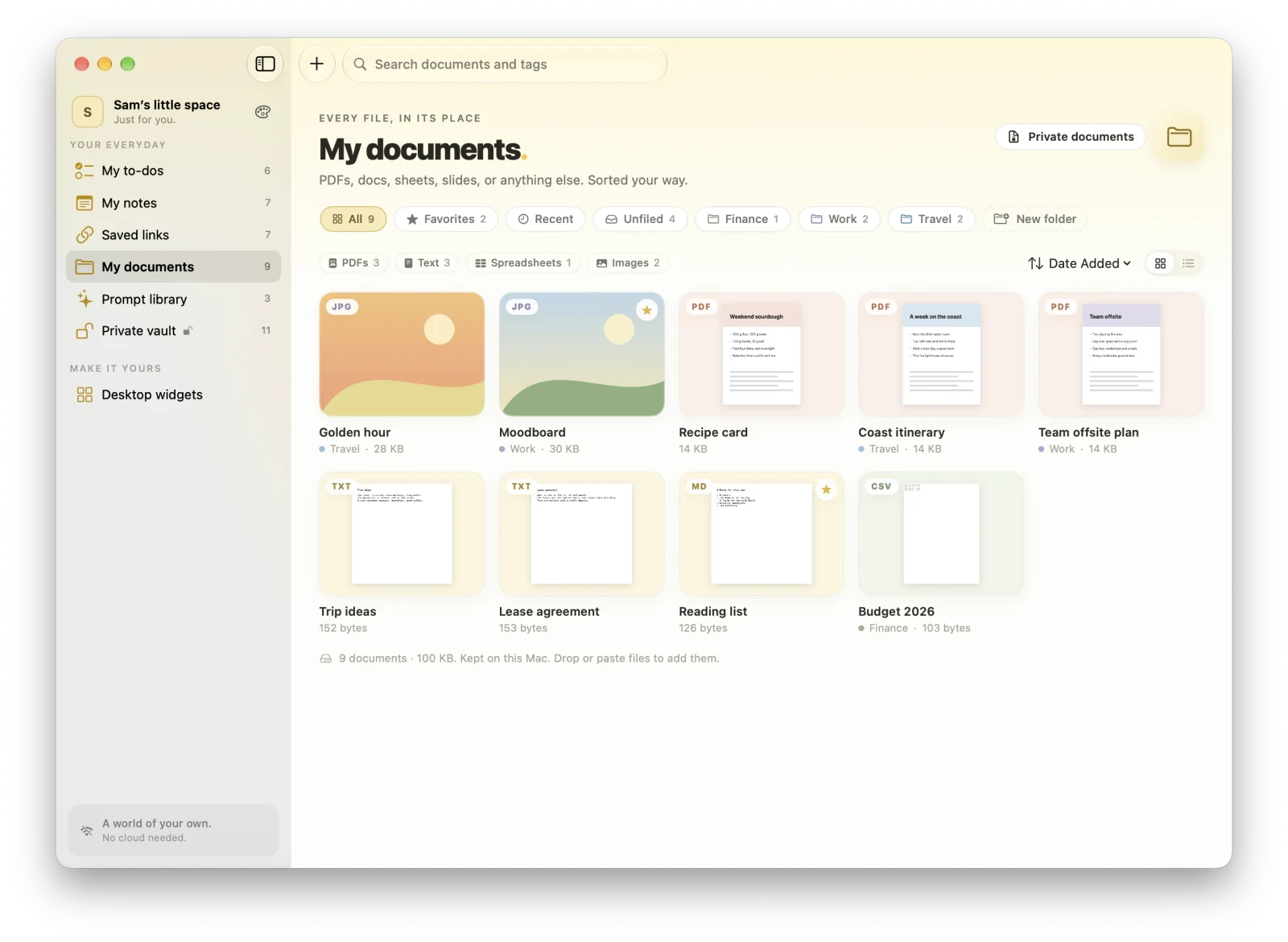
Keep PDFs, Word and Pages files, spreadsheets, slides, images, video, and more. Drop them in, paste them, or add them with a click. MacTodo keeps its own copy.
Colored folders, tags, favorites, and a Recent view
Quick Look previews with Space, in a grid or a list
Open, Show in Finder, Share, or drag files back out
Move any document into your private vault, encrypted
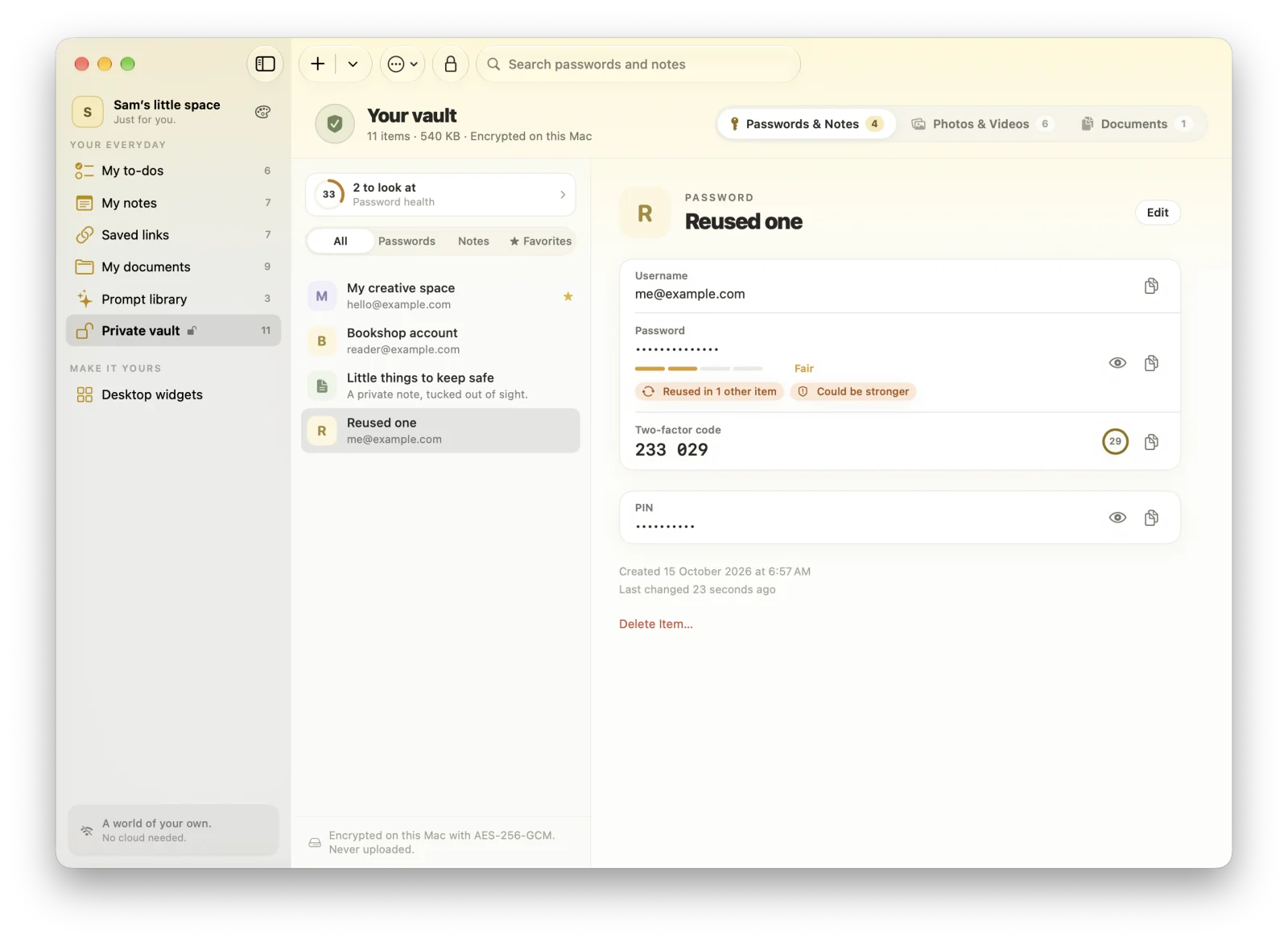
Passwords and secure notes behind a master password, with Touch ID if you like. The vault locks itself when you step away, and everything inside is encrypted on your Mac.
Two-factor codes from a setup key, a link, or a QR code
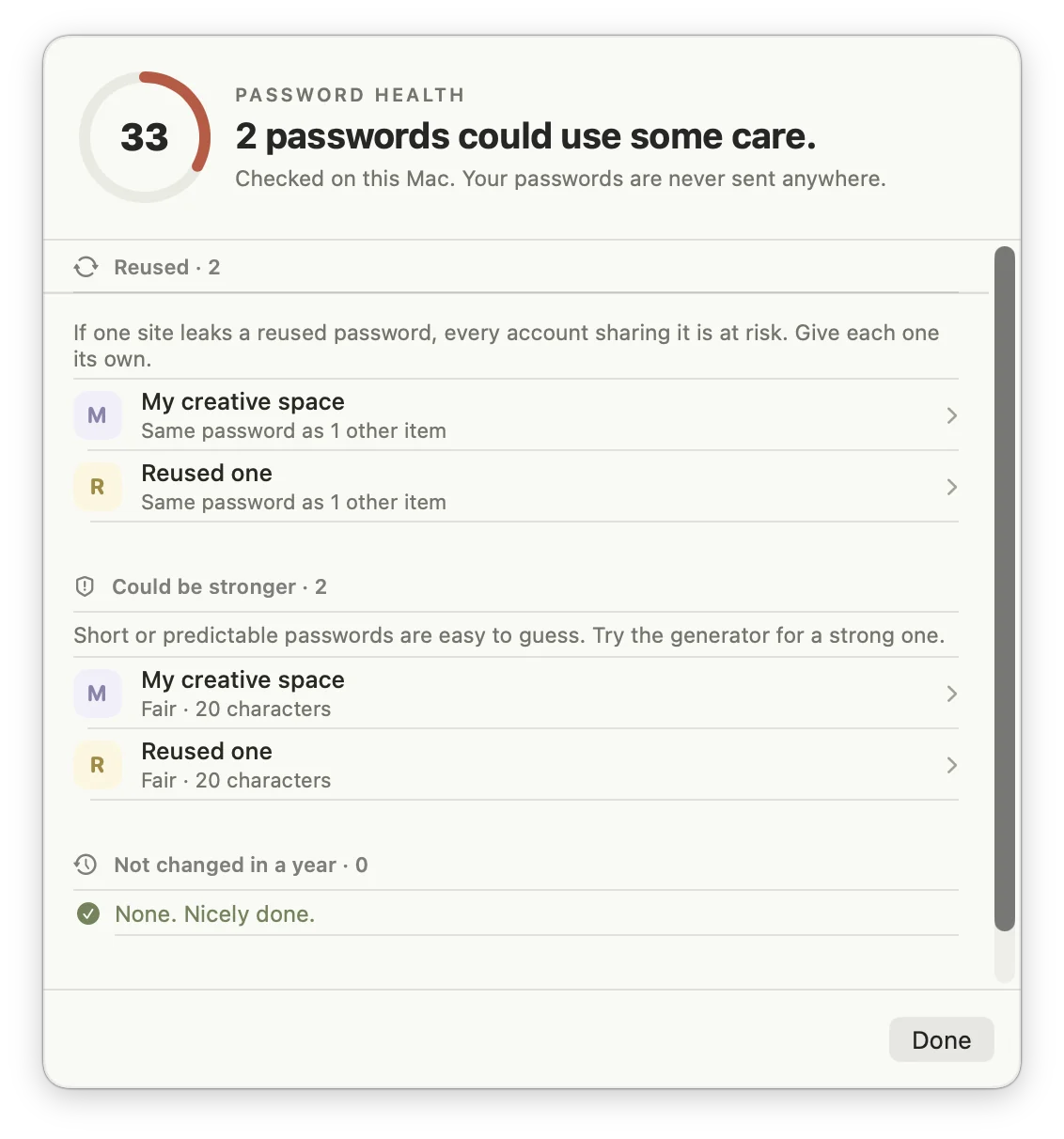
Password health: weak, reused, and old passwords, checked on the device
A password generator, custom fields, and password history
Import from Apple Passwords, Chrome, Firefox, 1Password, Bitwarden, and LastPass
Encrypted backups to a single file, protected by a password you choose
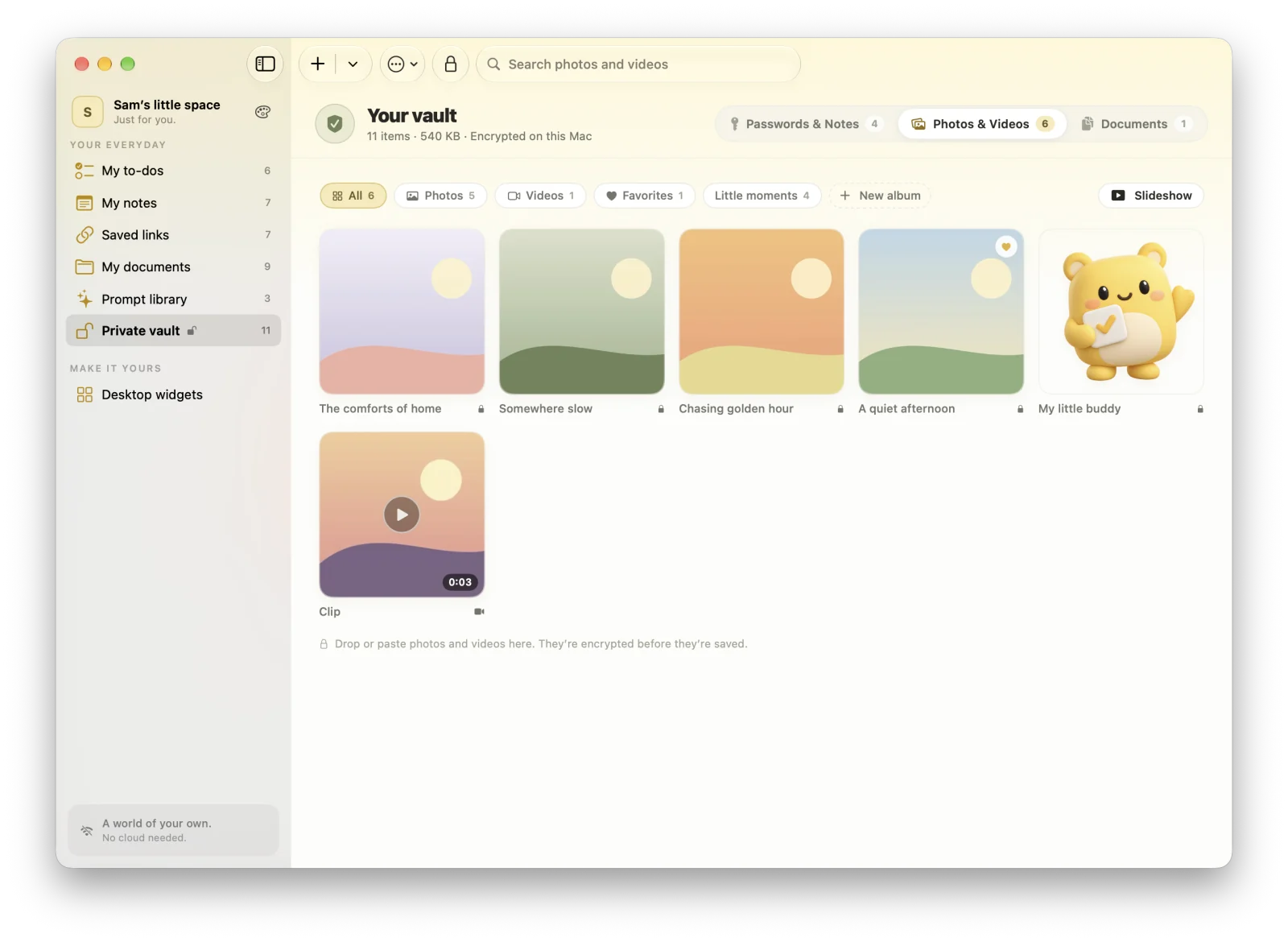
Photos, videos, and documents in the vault are encrypted before they ever touch the disk. Browse them in albums, play a slideshow, and share without leaving a copy behind.
Albums, favorites, search, and a zoomable viewer
Videos play right in the viewer
Rotate and crop without losing the original
Location is removed from shared photos unless you allow it
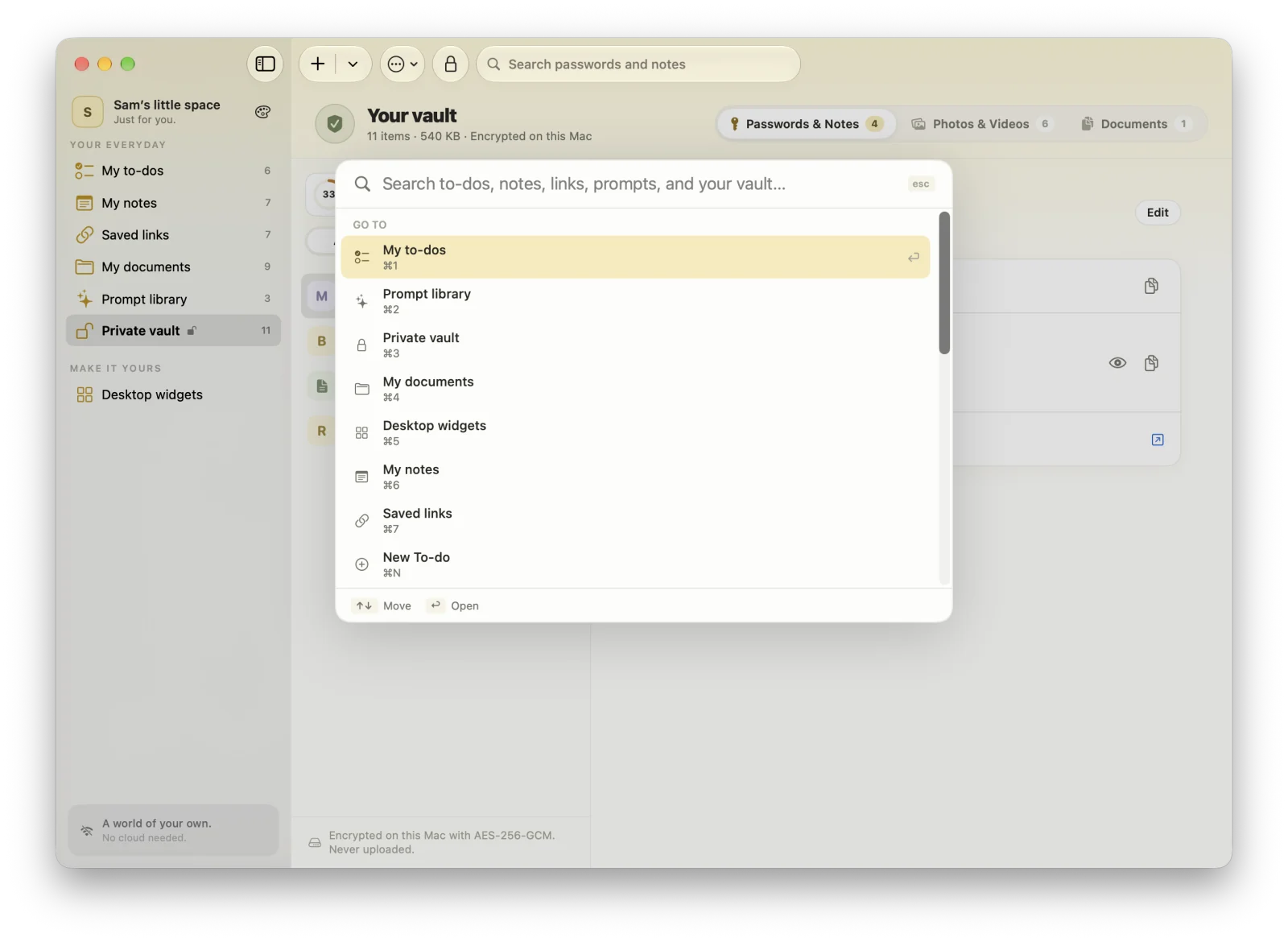
Find open to-dos and prompts from Spotlight. You can turn it off.
Help built in
A friendly guide (⌘?) and a gentle first-run tour.
PRICING
Your to-dos are free. Everything else, one small price.
Keep your list in MacTodo for free, forever. When you want notes, links, documents, prompts, and the vault too, Pro is a one-time purchase. No subscription, no account.
Double-click MacTodo.dmg to open it. In the window that appears, drag the MacTodo icon onto the Applications folder. That’s the whole install.
MacTodo
Step 3
Open it, then eject the disk
Open MacTodo from Applications or Launchpad. Then eject the “MacTodo” disk in Finder’s sidebar. You can delete the disk image afterwards, too.
What you’ll need
macOS 14 Sonoma or later
Apple silicon & Intel
To-dos free, no account
Works offline
Uninstall
Drag MacTodo from Applications to the Trash.
A FEW LITTLE ANSWERS
Curious? We like that.
Good questions deserve clear answers. Here’s a little more about MacTodo.
✳
What is MacTodo?
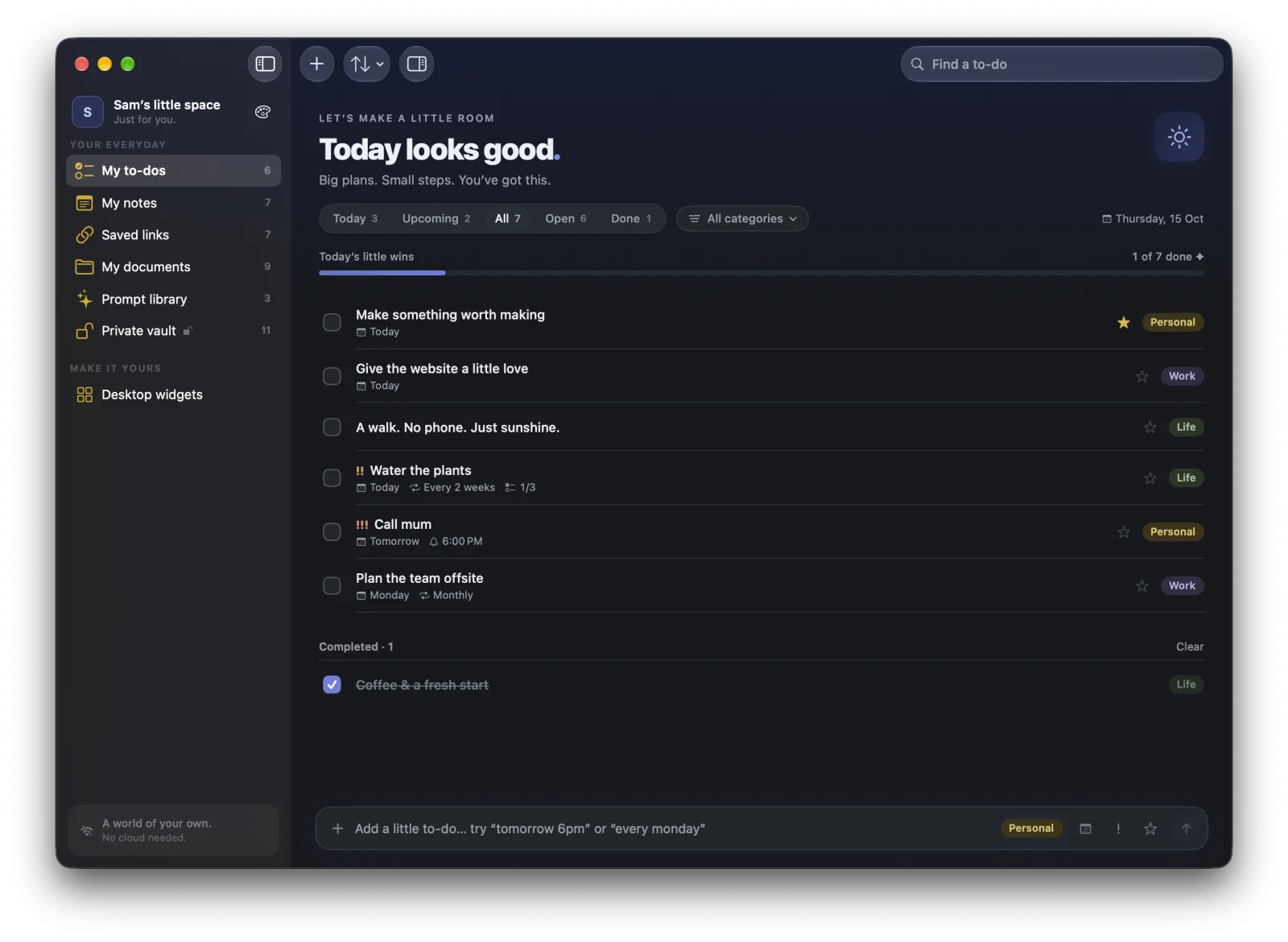
MacTodo is a free to-do list app for macOS. Alongside your to-dos it keeps notes, saved links, documents, reusable AI prompts, and an encrypted private vault in one calm space, with desktop widgets, a menu bar list, and eight themes. Every screenshot on this page is the real app, filled with sample data.
Is MacTodo free?
Your to-do list is free forever: reminders, repeats, the menu bar, quick add, widgets, and themes, with no account and no ads. MacTodo Pro unlocks notes, saved links, documents, the prompt library, and the private vault for a one-time $29 (usually $79). No subscription.
How do I unlock MacTodo Pro?
Buy Pro on this website and we email your license key within a minute. In MacTodo, open Settings › License (or click any Pro section in the sidebar), paste the key, and click Activate. One key works on up to three of your Macs. Lost your key? Visit the Pro page and we’ll send it again.
What makes MacTodo a good to-do app for Mac?
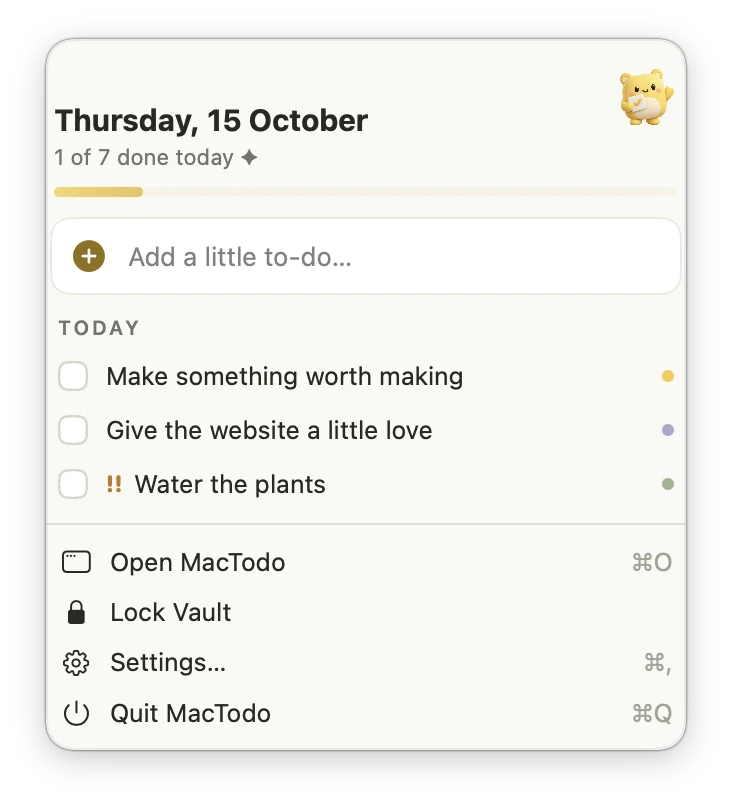
It’s built natively for macOS. You can type to-dos the way you’d say them (“Call mum tomorrow 6pm”), add one from any app with ⌃⌥Space, see today in the menu bar, check things off from desktop widgets, and use Shortcuts, Siri, and Spotlight. It works fully offline and keeps everything on your Mac.
Does MacTodo have desktop widgets?
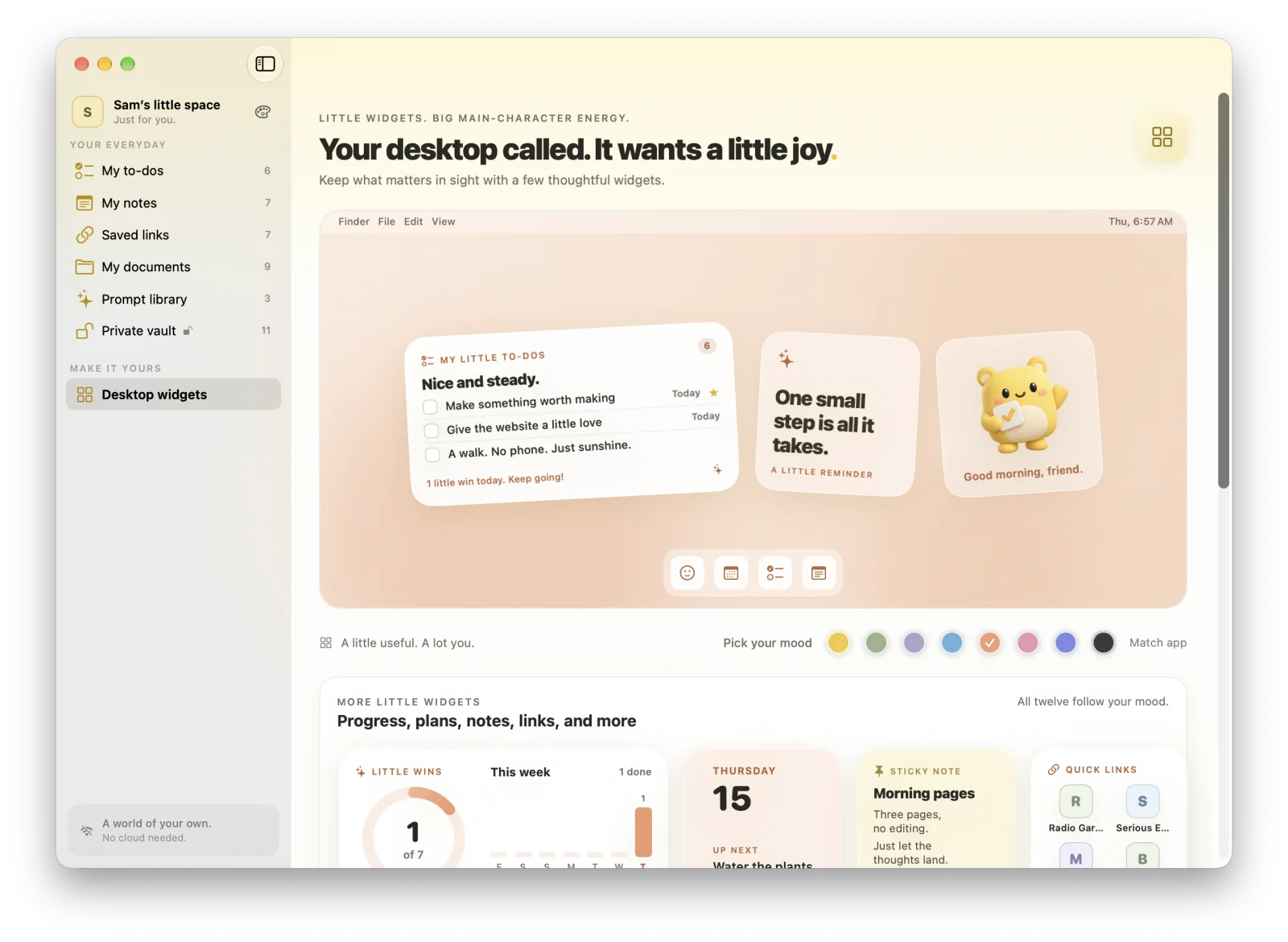
Yes, twelve of them, in small, medium, and large sizes. You can check off to-dos right on the My little to-dos widget, and there are widgets for progress, streaks, countdowns, the month ahead, pinned notes, quick links, and documents.
Does my stuff ever leave my Mac?
No. MacTodo keeps everything on your Mac, with no account and nothing synced to a server. The app only goes online to check a Pro license about once a day and to look for updates when you ask, and those checks carry just your license key, a random id for your Mac, and version numbers. Saved links get letter tiles instead of fetched icons, so nothing about your reading list leaves your Mac either.
Does MacTodo sync with iPhone or iCloud?
No, on purpose. MacTodo keeps your things on your Mac only, so there’s no iCloud sync and no iPhone app. If you need your list on your phone too, a synced app may suit you better. To move to another Mac, use backup and restore.
How does the private vault work?
Your passwords, secure notes, photos, videos, and private documents are encrypted on your Mac with AES-256-GCM. The key is protected by your vault password, stretched with PBKDF2 (600,000 rounds), and Touch ID can unlock it if you like. The vault locks itself when you step away, when your Mac sleeps, and when you quit. Your password can’t be recovered, so keep it somewhere safe.
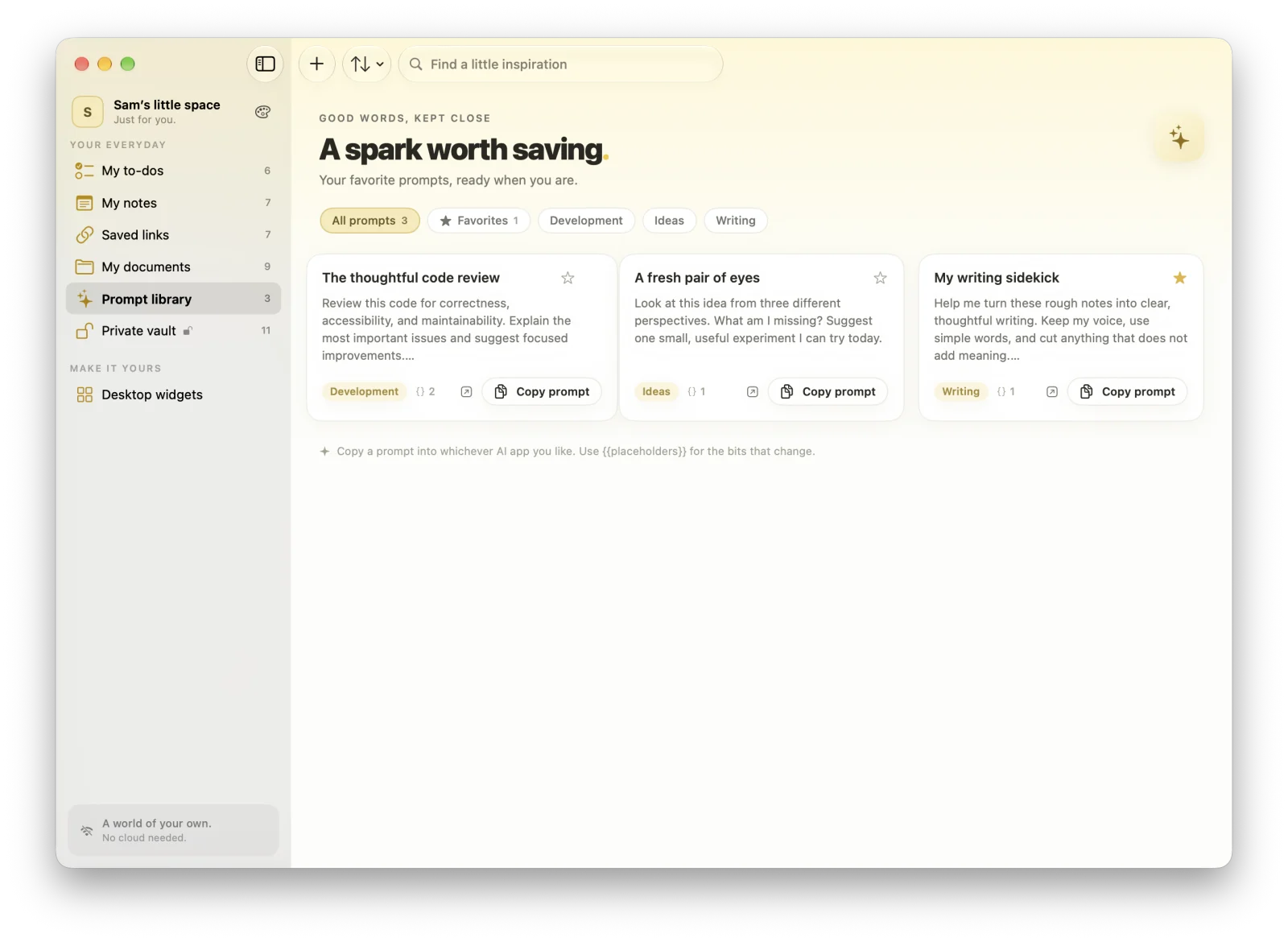
Can I use my prompts with any AI app?
That’s the idea. Keep your favorite prompts in one library, fill in any {{placeholders}}, and copy them into whichever AI app you use. There are shortcuts to open ChatGPT, Claude, Perplexity, and Gemini, too.
Can I move my things to another Mac?
Yes. Back up your to-dos, notes, links, and prompts to a JSON file in Settings, and back up the vault, including photos, videos, and private documents, to a single encrypted file. Restore them on the other Mac.
Which languages does MacTodo speak?
English, German, Spanish, French, Japanese, Simplified Chinese, Brazilian Portuguese, and Hindi. That includes the widgets, Help, and Shortcuts.
Which Macs does MacTodo run on?
MacTodo needs macOS 14 Sonoma or later and runs natively on Apple silicon & Intel Macs. Download the disk image, drag MacTodo into your Applications folder, and you’re all set. The Download & install section walks you through it.
A SMALL APP. A SOFTER DAY.
A little more organized. A whole lot more at home.
Make room for your ideas, your plans, and your next little win.