A private vault on your Mac for passwords, photos, and files.
MacTodo’s vault keeps the things that are only yours behind a master password, encrypted on your Mac. No account, no cloud, and no server in between.
Version 1.0.0macOS 14 Sonoma or laterApple silicon & IntelHow to install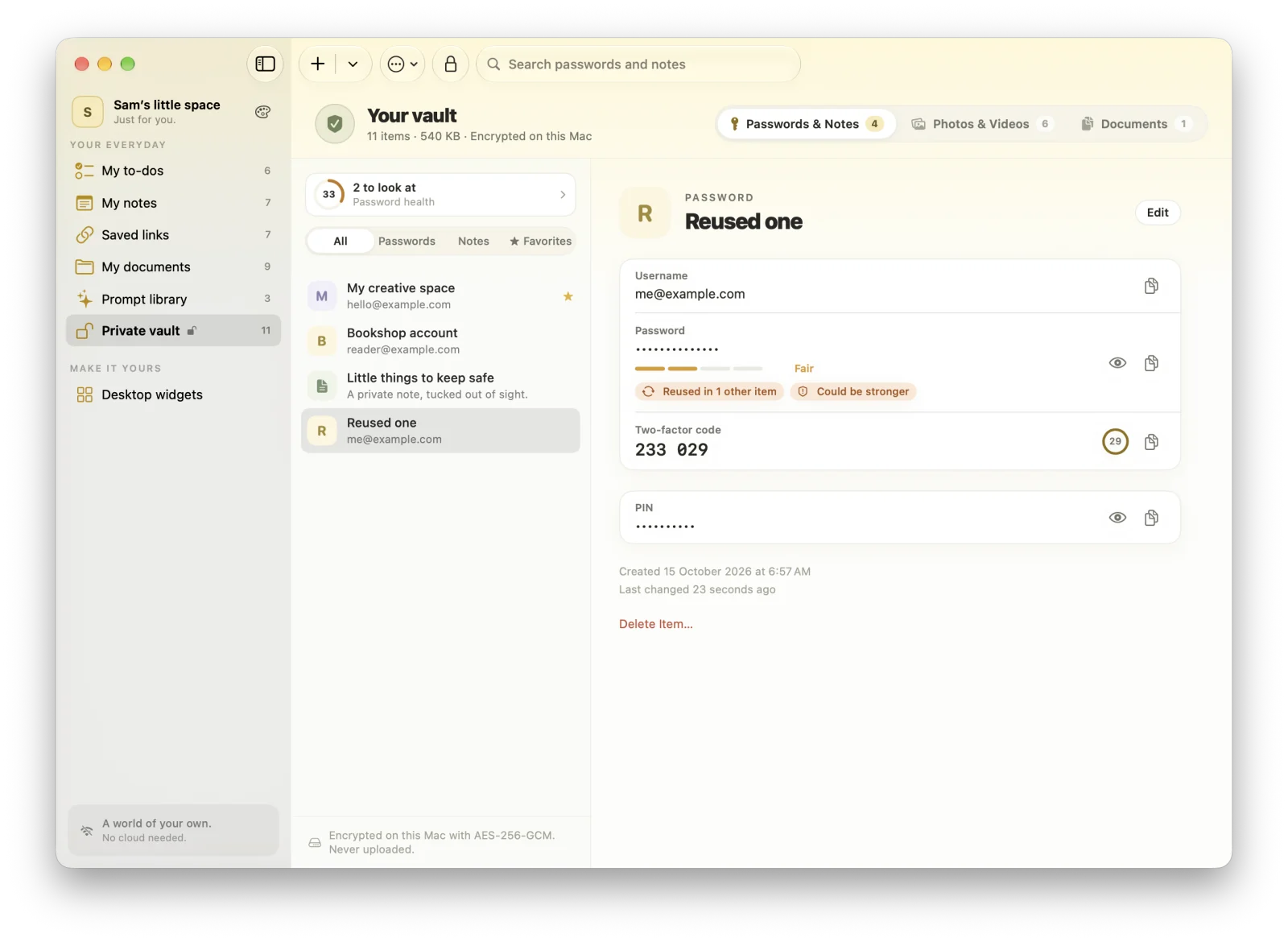
Highlights
- Two-factor codes from a setup key, a link, or a QR code
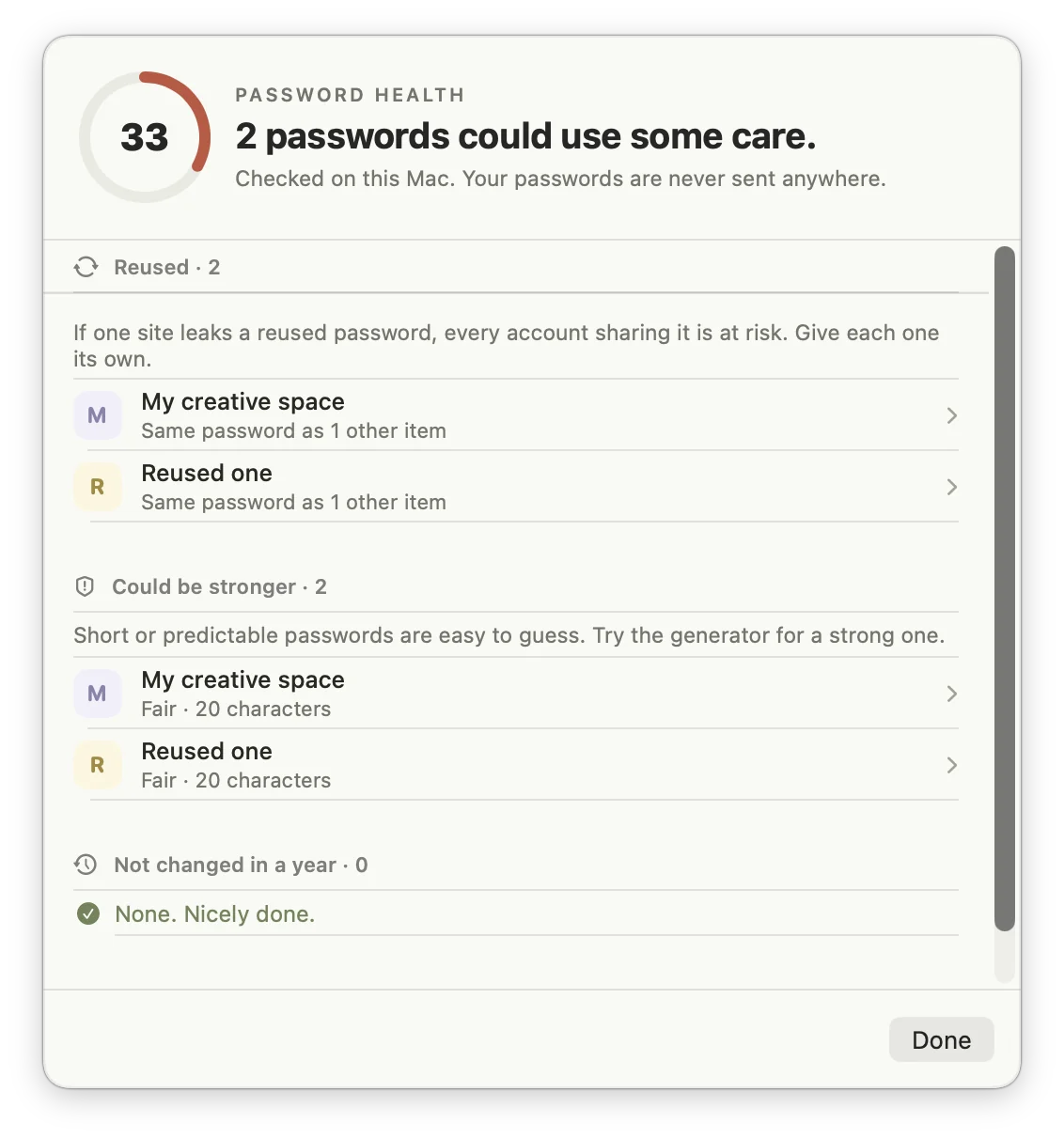
- Password health: weak, reused, and old passwords, checked on the device
- A password generator, custom fields, and password history
- Import from Apple Passwords, Chrome, Firefox, 1Password, Bitwarden, and LastPass
- Encrypted backups to a single file, protected by a password you choose
Passwords and two-factor codes
Store logins and secure notes with a password generator, a strength meter, custom fields, and password history. Add two-factor codes from a setup key, an otpauth:// link, or a QR code in a screenshot.
Password health, checked on your Mac
MacTodo flags weak, reused, and old passwords and gives your vault a score. The whole check runs on the device.
Photos, videos, and private documents
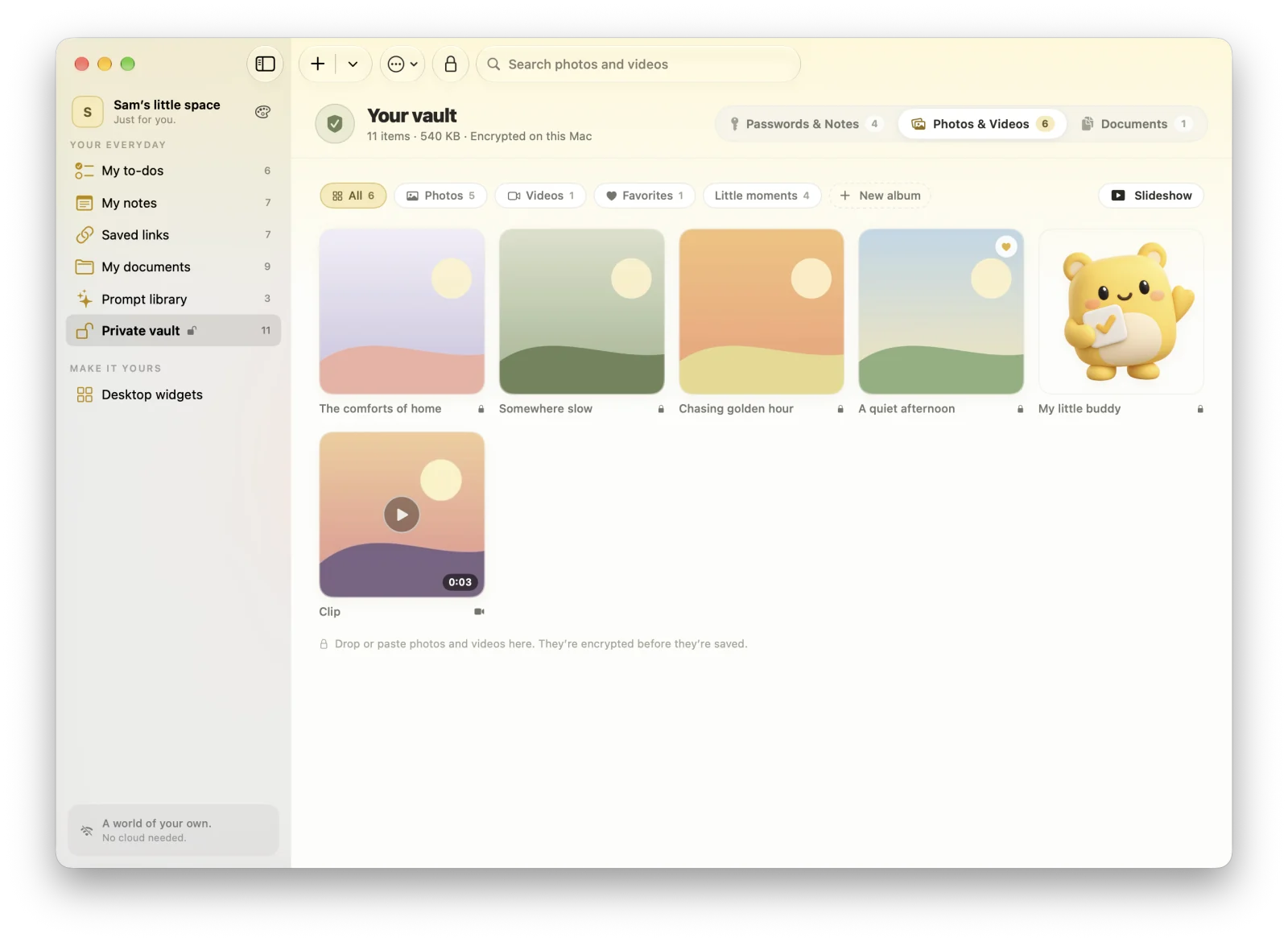
Every photo, video, and document is encrypted before it’s written to disk. Browse albums, play videos, run a slideshow, rotate and crop without losing the original, and share photos with their location removed unless you allow it.
Strong encryption that locks itself
Everything is sealed with AES-256-GCM. Your vault password is stretched with PBKDF2 (600,000 rounds), Touch ID can unlock it, and the vault locks when you step away, when your Mac sleeps, and when you quit. Copied passwords clear from the clipboard after 30 seconds.
Bring your passwords with you
Import CSV exports from Apple Passwords, Chrome, Edge, Brave, Firefox, 1Password, Bitwarden, and LastPass, with duplicates skipped. Back up the whole vault to one encrypted file protected by a password you choose.
What encryption does the MacTodo vault use?
AES-256-GCM. The key is protected by your vault password, stretched with PBKDF2 (600,000 rounds). Only encrypted data is ever written to disk.
Can MacTodo recover my vault password?
No. Your vault password never leaves your Mac and can’t be recovered, so keep it somewhere safe. Touch ID can unlock the vault day to day.
Can I import passwords from 1Password or Chrome?
Yes. Export a CSV from Apple Passwords, Chrome, Edge, Brave, Firefox, 1Password, Bitwarden, or LastPass, and import it into the vault. Duplicates are skipped.
A little more organized.
A whole lot more at home.
Make room for your ideas, your plans, and your next little win.
Download for MacVersion 1.0.0macOS 14 Sonoma or laterApple silicon & IntelHow to install