Sticky notes for your Mac, without the clutter.
MacTodo’s notes board is a calm home for quick thoughts, lists, and ideas. Jot a note in a second, give it a color, pin it, and find it again whenever you need it.
Version 1.0.0macOS 14 Sonoma or laterApple silicon & IntelHow to install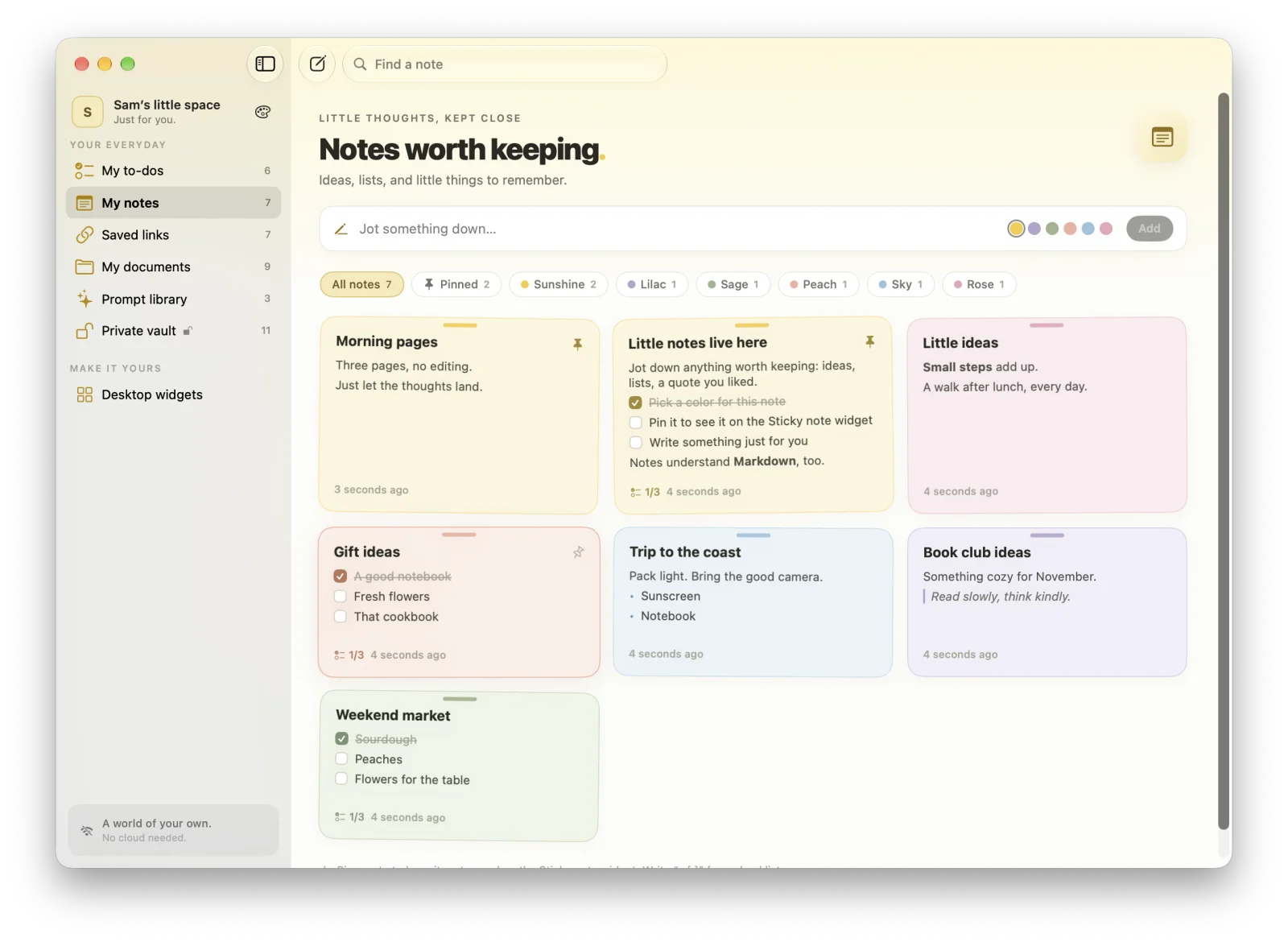
Highlights
- Six colors, pins, color filters, and search
- “- [ ]” lines turn into checklists you can tick on the card
- Markdown with a live preview in the editor
- Pin a note to see it on your desktop with the Sticky note widget
Quick notes and a full editor
Jot a quick note from the top of the board, or open the full editor (⌃⌘N) when a thought needs more room. Notes are written in Markdown, with a live Preview in the editor.
Checklists you can tick on the card
Start a line with “- [ ]” and it becomes a checkbox you can tick right on the note card. Handy for shopping lists, packing lists, and anything too small to be a to-do.
Six colors, pins, and search
Give each note one of six soft colors, pin the important ones to the top, filter the board by color, and search across every note. Deletes and edits can be undone.
A sticky note on your desktop
The Sticky note widget shows your latest pinned note, or any note you pick, right on your Mac desktop in small, medium, or large.
Does MacTodo support Markdown in notes?
Yes. Notes are written in Markdown, and the editor has a live preview. Lines that start with “- [ ]” become checklists you can tick right on the card.
Can I put a sticky note on my Mac desktop?
Yes. Add MacTodo’s Sticky note widget to your desktop. It shows your latest pinned note, or a note you choose with Edit Widget.
A little more organized.
A whole lot more at home.
Make room for your ideas, your plans, and your next little win.
Download for MacVersion 1.0.0macOS 14 Sonoma or laterApple silicon & IntelHow to install